For offices with Macs

Secure communication. On your own server.

Chat, calendar and video meetings for your company – as a native Mac app, end-to-end encrypted and running on a Mac mini in your office. No cloud, no telemetry, no per-seat licenses.

  • Free for up to 3 people
  • End-to-end encrypted
  • Server in your own office
  • macOS 26 or later
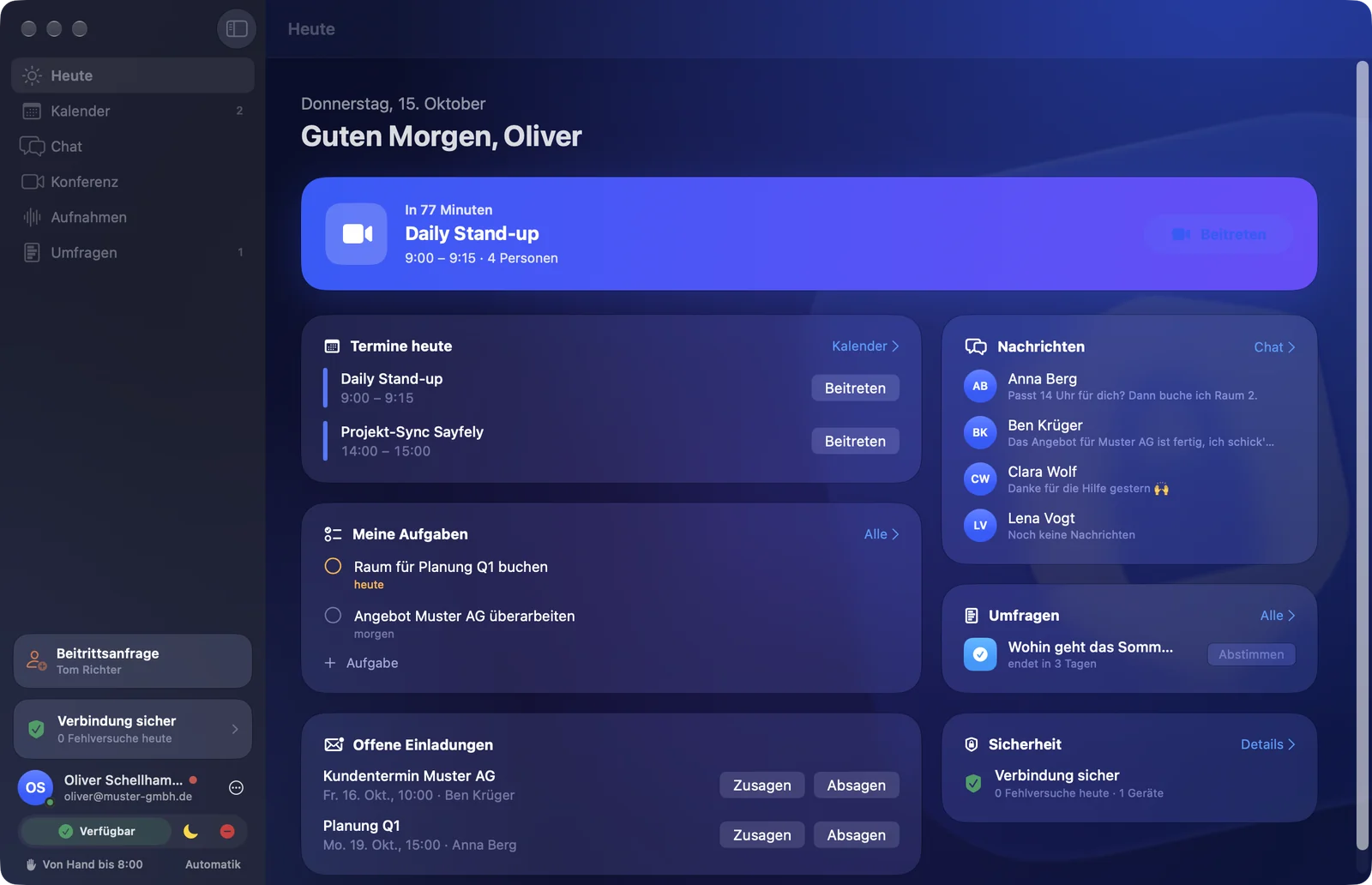
The Sayfely main window on the “Today” page: next meeting “Daily Stand-up”, today’s meetings, tasks, new messages, polls and, at the bottom left, the “Connection Secure” card.

The problem

Convenient in the cloud – or independent, but only for admins?

Small and mid-sized companies want chat, scheduling and video from one place without handing their data to someone else’s cloud. Until now, that usually meant renting a cloud service or running something complicated yourself.

Cloud services

  • Your content sits on someone else’s servers – you don’t decide who can access it or where it is copied.
  • Billing is usually per person and month – every new colleague adds to the bill.
  • If the service goes down, so does your office – and you can’t do anything about it.

Self-hosting the usual way

  • Linux, Docker, reverse proxy, certificates and database updates – not doable without an admin.
  • Many offerings are now aimed at large customers with 100+ users.
  • Often without end-to-end encryption: the server sees plain text.

Sayfely

The third way

  • One Mac in the office, one app: “Sayfely Server” comes with its own database and conference server. No Terminal.
  • Content is end-to-end encrypted – the server only sees ciphertext.
  • One license per server instead of per person. Free for up to 3 people.

Three areas, clearly separated

Calendar · Chat · Conference

Sayfely has three areas, each with one job – so everyone finds what they need right away.

Calendar

Organized. And it reminds you so you never miss a meeting.

A calendar event is the “file” for a meeting: beforehand the agenda, documents and a cheat sheet with what was decided last time and what is still open; afterwards the recording, tasks and a PDF report. Just before it starts, a small reminder window appears with a countdown and a Join button. If you like, your meetings also show up in the Mac’s Calendar app.

Title, agenda and location are end-to-end encrypted.
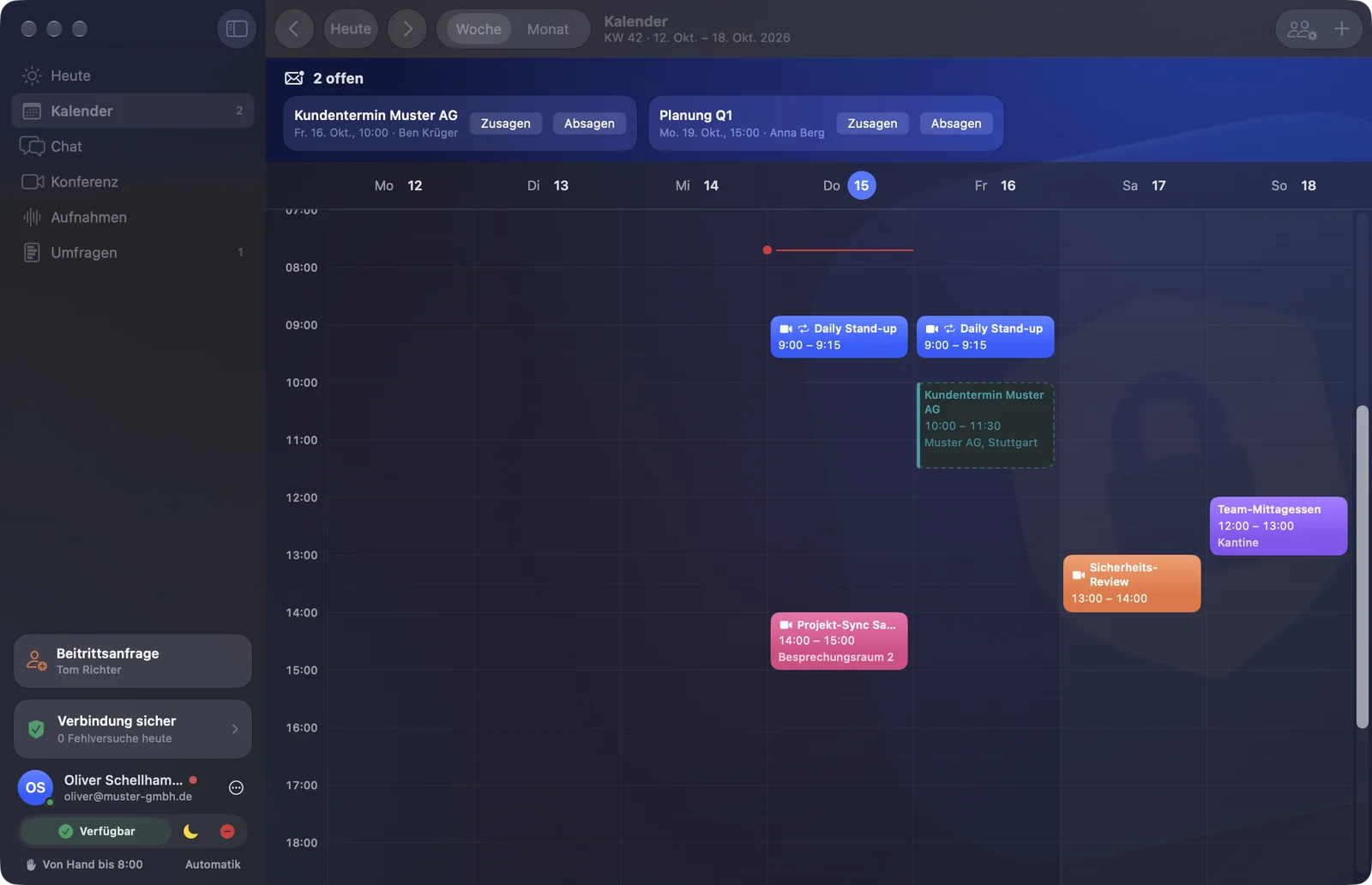
Calendar in week view with meetings such as “Daily Stand-up” and “Projekt-Sync Sayfely”.
Chat

Message everyone on the team. In the office and on the road.

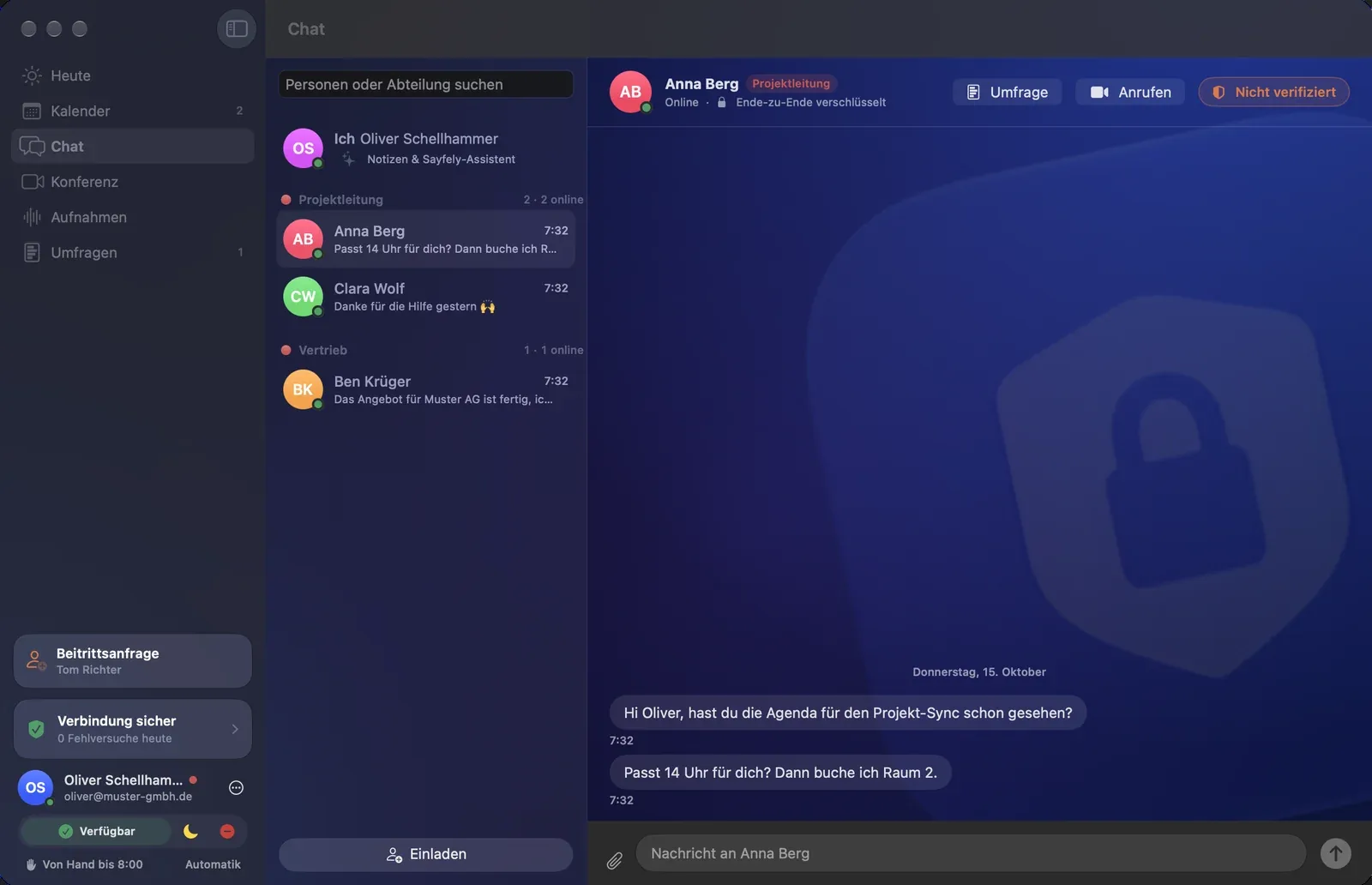
One-on-one conversations, your own groups and a channel for each department. Voice messages, files up to 50 MB, reactions and replies. At the very top: “Me” with your notes and your assistant, which also answers questions about all your meetings – and jumps to the right spot in the recording.

The server only sees ciphertext. A safety number to compare for each contact.

Chat with the people list – Me and colleagues grouped by department – and the conversation with Anna Berg.
Conference

Video with everyone. Rings like a phone.

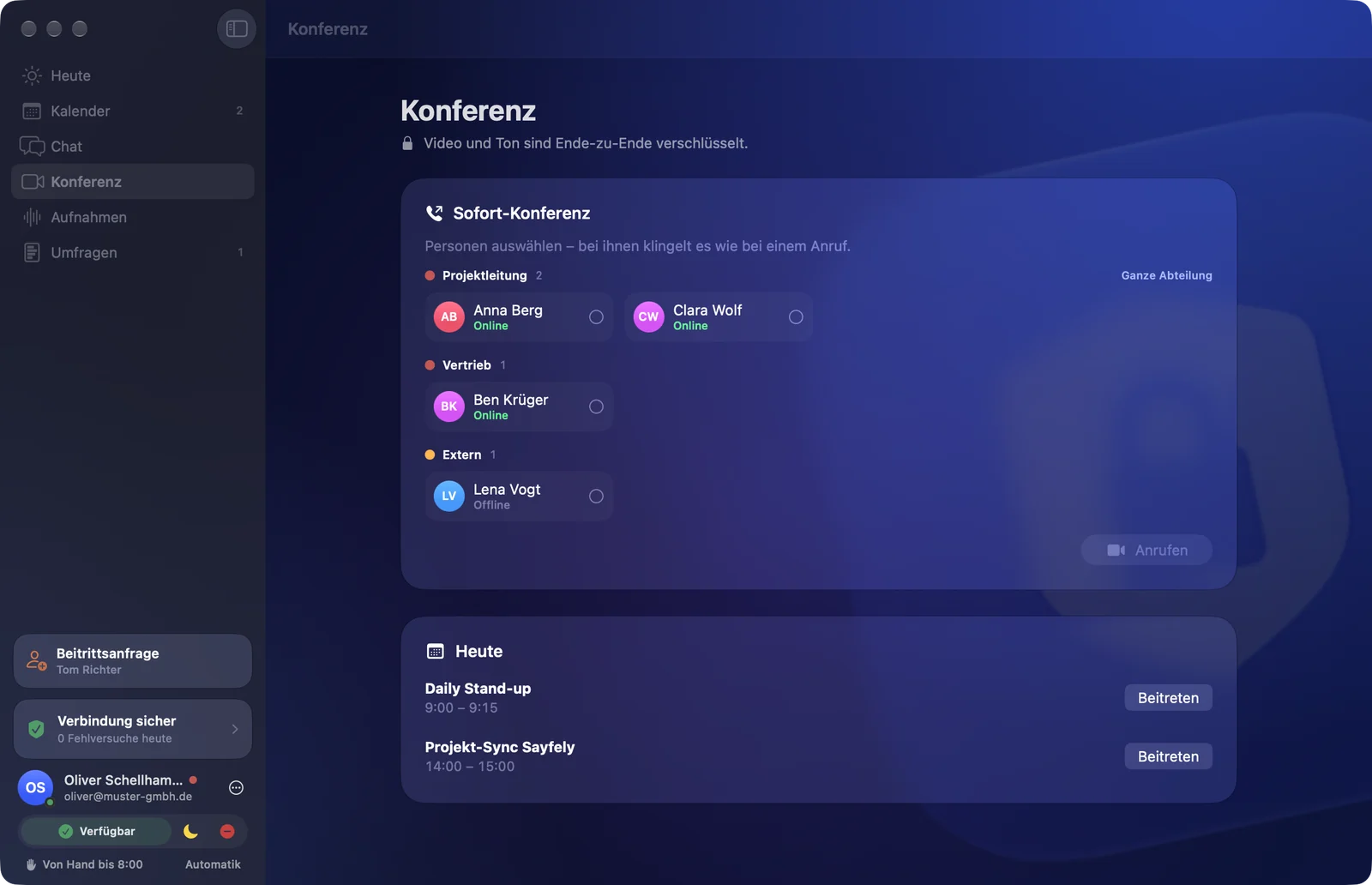
Pick people, call them – their Mac rings with its own call window. Share your screen, raise your hand, use a shared whiteboard, tick off the agenda and follow a live transcript in your own language. Customers and partners join as guests in their browser – nothing to install. Deliberately without chat, so nothing gets lost.

Video and audio end-to-end encrypted, through your own conference server.

Conference area: Instant Conference with people by department to choose from, and today’s video meetings.

See all features

Recordings with “Key points”

An hour-long meeting, three minutes of listening.

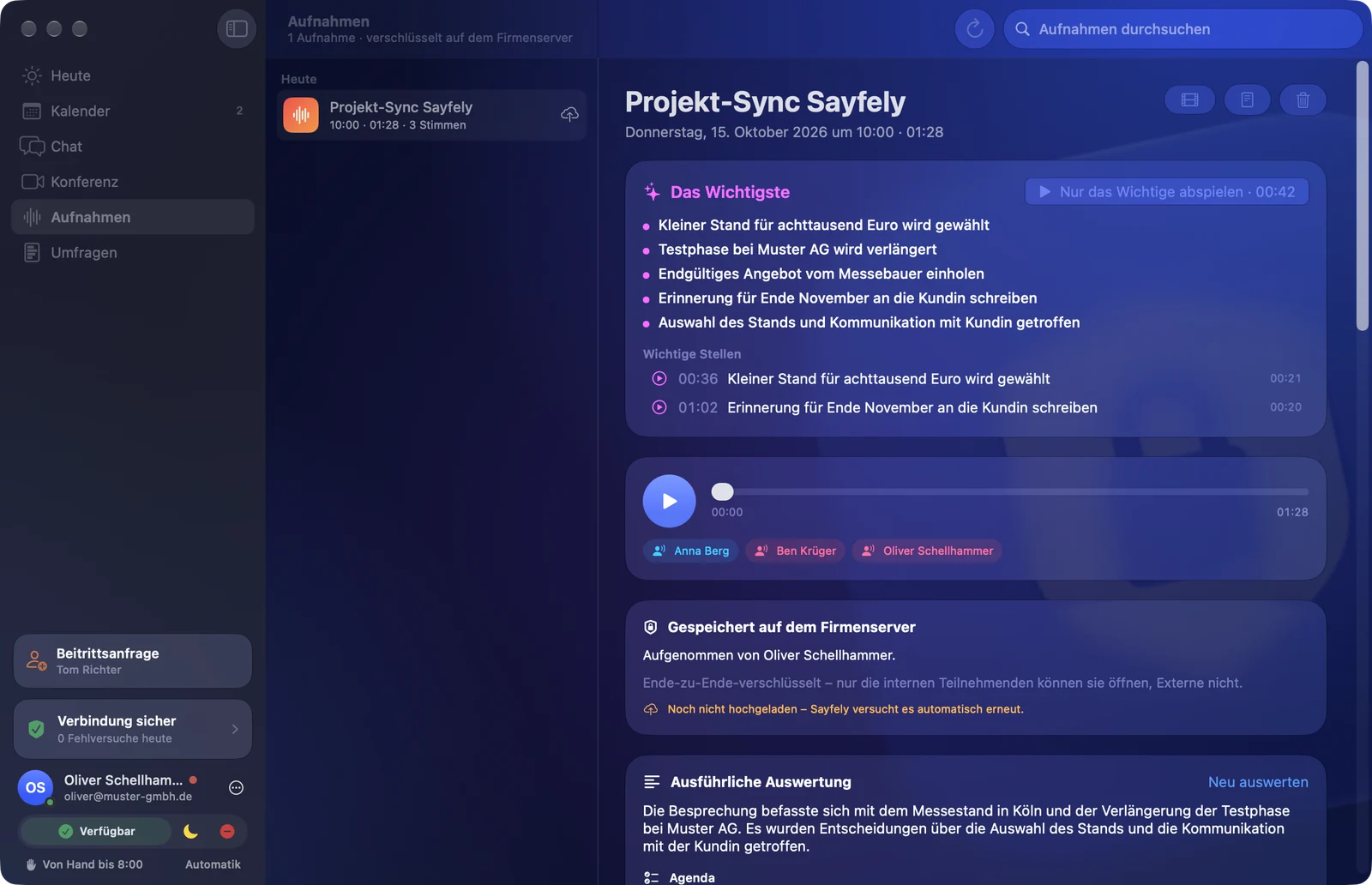
The key points and important moments are right at the top. “Play key moments only” plays exactly those moments one after another – an hour of meeting in a few minutes. Below: the transcript laid out like a chat, decisions, tasks and open questions.

  • Only people who agree are recorded – with a consent log.
  • Transcript and analysis are created on the Mac, not in a cloud.
  • Stored end-to-end encrypted on your server, for internal participants only.

More about recordings

Recording detail: at the top “Key points” with the main points and the “Play key moments only” button, “Export” at the top right, below that the player with all speakers.

Security in plain words

What happens in your company stays in your company.

Sayfely is built from the ground up so that nobody but the people involved can read the content – not your own server, not IT, not us.

End-to-end encrypted

Messages, files, meeting details, tasks and recordings are encrypted on your Mac and only become readable again on the other person’s Mac.

Server in your own office

A Mac mini at your place instead of a data center somewhere. Sayfely keeps working on your local network even when the internet is down.

Nobody gets in between

Every app remembers your server’s key. If a different one answers, the app blocks and shows a clear warning.

Three check words instead of password emails

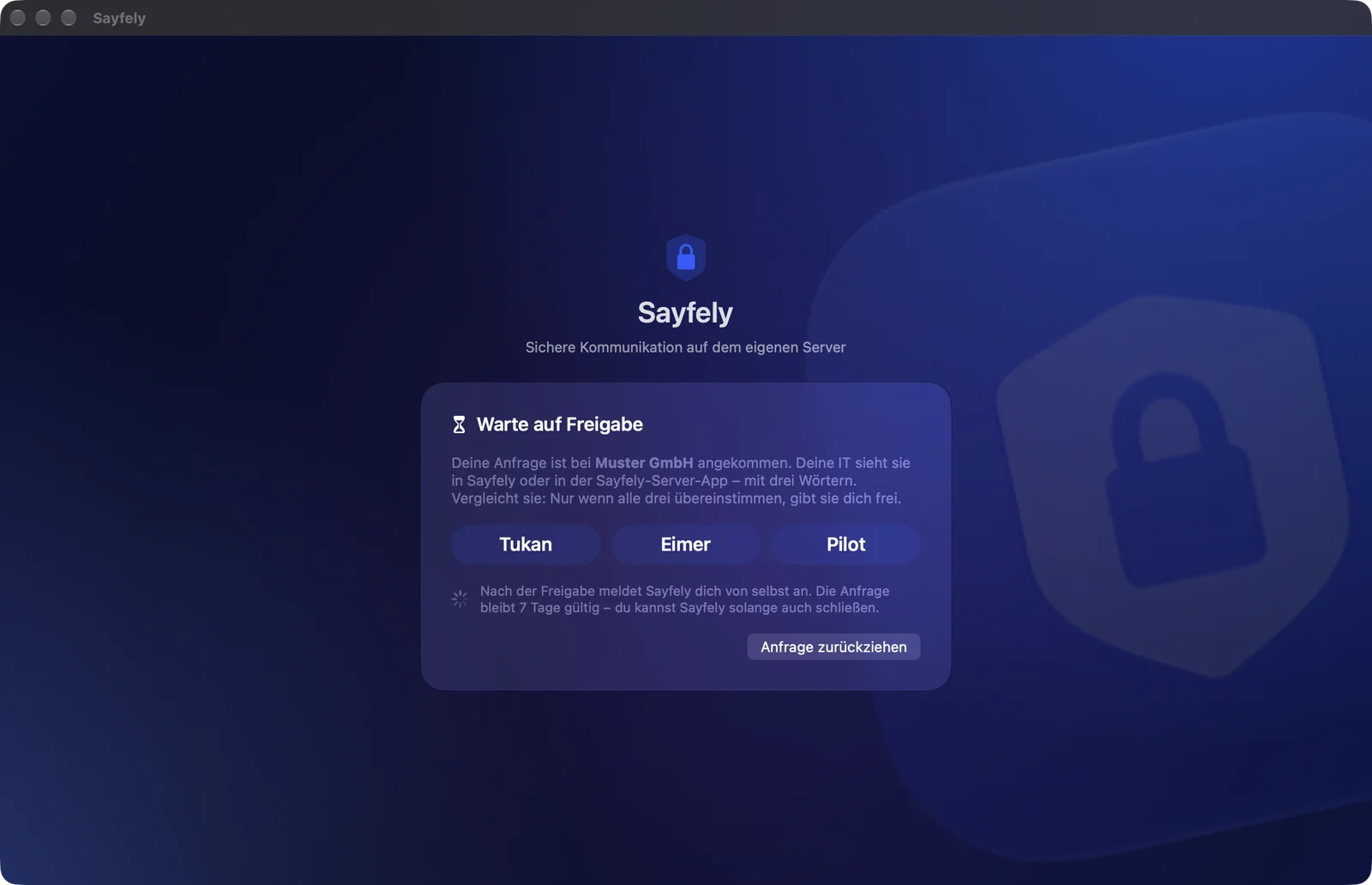
New colleagues send a request from the office, and IT approves it once both sides see the same three words.

Invitation only

New colleagues only get in with an invitation from IT, with a link and a separate code – or in the office using the three check words.

No telemetry

No cloud, no third-party services, no statistics sent to anyone. AI features run on your own Mac.

The security model in detail

How it works

A server in your office in 3 minutes.

Two fields, one button – and your server is running. No Homebrew, no command line, no purchased certificate.

  1. IT

    Set up the server

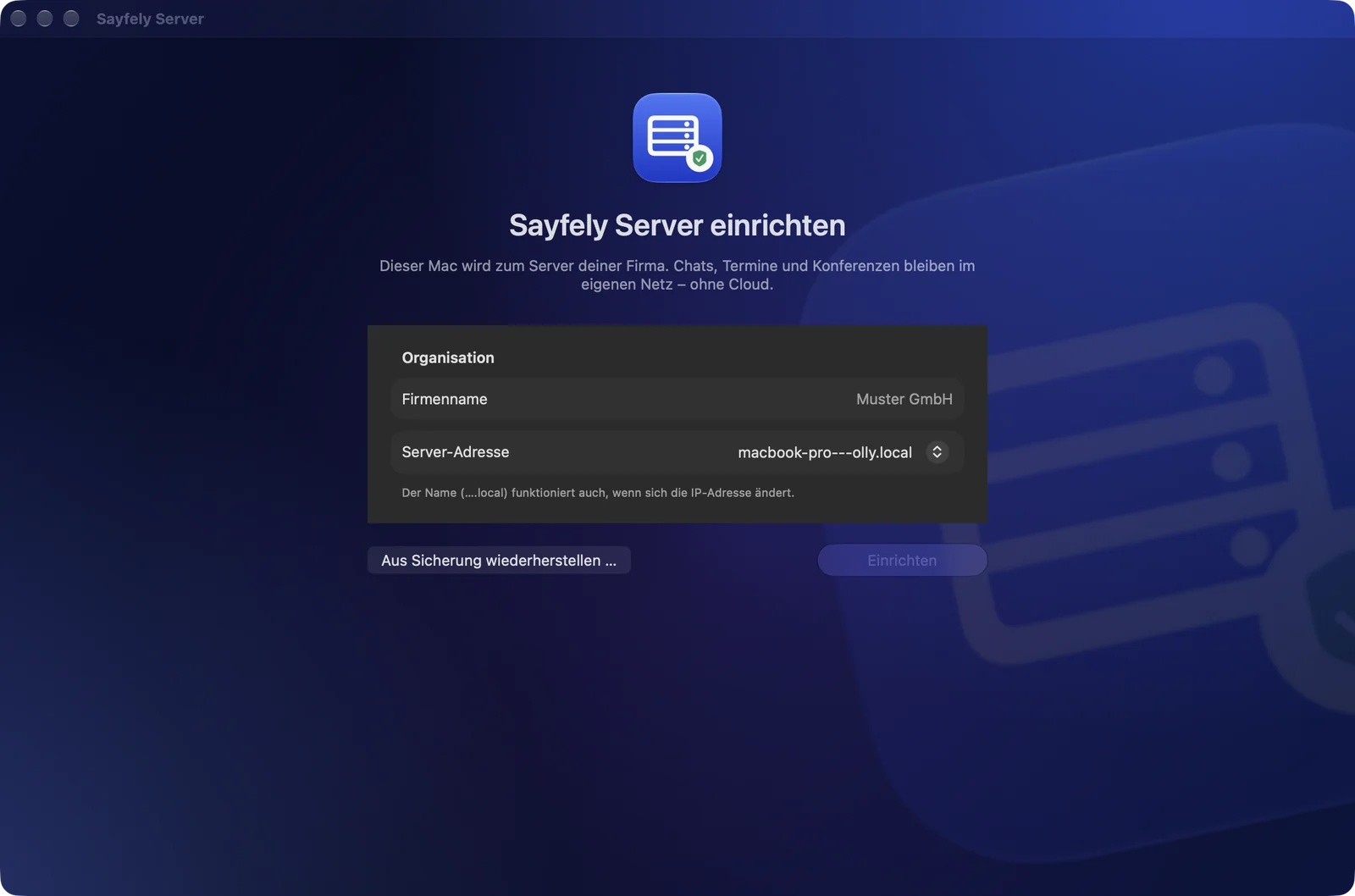
    Open “Sayfely Server” on a Mac in the office, enter your company name and click Set up. The app takes care of the database, certificate and conference server itself.

  2. Everyone

    Get the app

    Open your server’s download page in the browser – via QR code or AirDrop – and install Sayfely. Free and notarized by Apple.

  3. Everyone

    Join

    Sayfely finds the server in the office on its own. Enter your name, email and password – IT approves you once you’ve compared three check words.

Sayfely Server: initial setup with the fields Organization and Server address and the Set up button.
Initial setup in the “Sayfely Server” app.
“Waiting for approval” with three large check words to compare.
Joining: both sides see the same three words.

Pricing

One license per server. The apps are free.

No seat counting, no device licenses. Everyone can use as many Macs as they like.

Free

€0

up to 3 people, forever

Pricing in detail

Measured, not estimated

One Mac mini is enough for the whole office.

1,600

Macs connected at the same time

ran smoothly, with a median message delivery of 14 ms – local test, with the server and all simulated Macs on one MacBook Pro.

13%

CPU on a Mac mini

with 4 parallel video meetings of 4 people each. In everyday use, the limit is almost always the office’s internet connection, not the Mac.

Frequently asked questions

Good to know

What do I need to use Sayfely?

For Sayfely Server, a Mac with macOS 26 or later that stays on all the time – typically a Mac mini in the office. Plus Macs with macOS 26 or later for everyone who uses Sayfely. The server and the workstations should be on the same network.

Can our IT team or the vendor read messages?

No. Messages, files, meeting details, tasks and recordings are end-to-end encrypted. The server only knows what it needs for delivery – times, people, sizes, responses. Nobody can open content in the server app either. And we as the vendor have no access at all: your server doesn’t report to anyone.

Is Sayfely available for iPhone, iPad or Windows?

Not yet. Today Sayfely is available for macOS only. An iPhone and iPad app is the next big goal; a Windows app is planned for later. If you have many Windows workstations today, Sayfely isn’t a good fit for you yet.

Can I bring in customers or partners?

Yes, as guests in the browser. You add their email address to the meeting; they get an invitation with a link and join in Safari, Chrome, Edge or Firefox – no installation, no account. Only people that someone from the meeting lets in from the room get in. Guests get audio, video and the shared screen, end-to-end encrypted – no documents, no chat and no recordings. For this the server needs access from the internet via port 443; it fetches the certificate by itself, no domain needed.

Does Sayfely work when working from home?

Yes. In the server app, under “Access from the internet”, IT enters the office’s address and sets up port forwarding on the router – the server app shows which ports. After that, the Mac automatically switches to this address whenever it can’t reach the office, and back again once it’s in the office. If you already have a VPN into the company network, you can use that too. Without this setting, the server can’t be reached from the internet.

Do I need Apple Intelligence?

Only for the assistant (including “Ask your meetings”), agenda suggestions and analyzing recordings with “Key points”. Everything else – chat, calendar, conference, recording and transcript – works without it. For the on-device AI features, we recommend a Mac with Apple silicon.

What happens if the server Mac breaks?

If you turn it on, Sayfely Server makes an encrypted backup every night – to an external drive, for example. With the backup you can move to a new Mac; keys, people and data come along, and the apps reconnect without asking for new confirmation.

Get started today – free for up to 3 people.

Download Sayfely Server, set it up on a Mac in the office and bring your team on board. No credit card, no expiry date.