 Sayfely
Features
Everything an office needs. Nothing that confuses it.
Calendar, chat and conferences – plus recordings with transcripts, tasks, polls, search and an assistant that runs only on your Mac. As a native Mac app that starts instantly.
Home
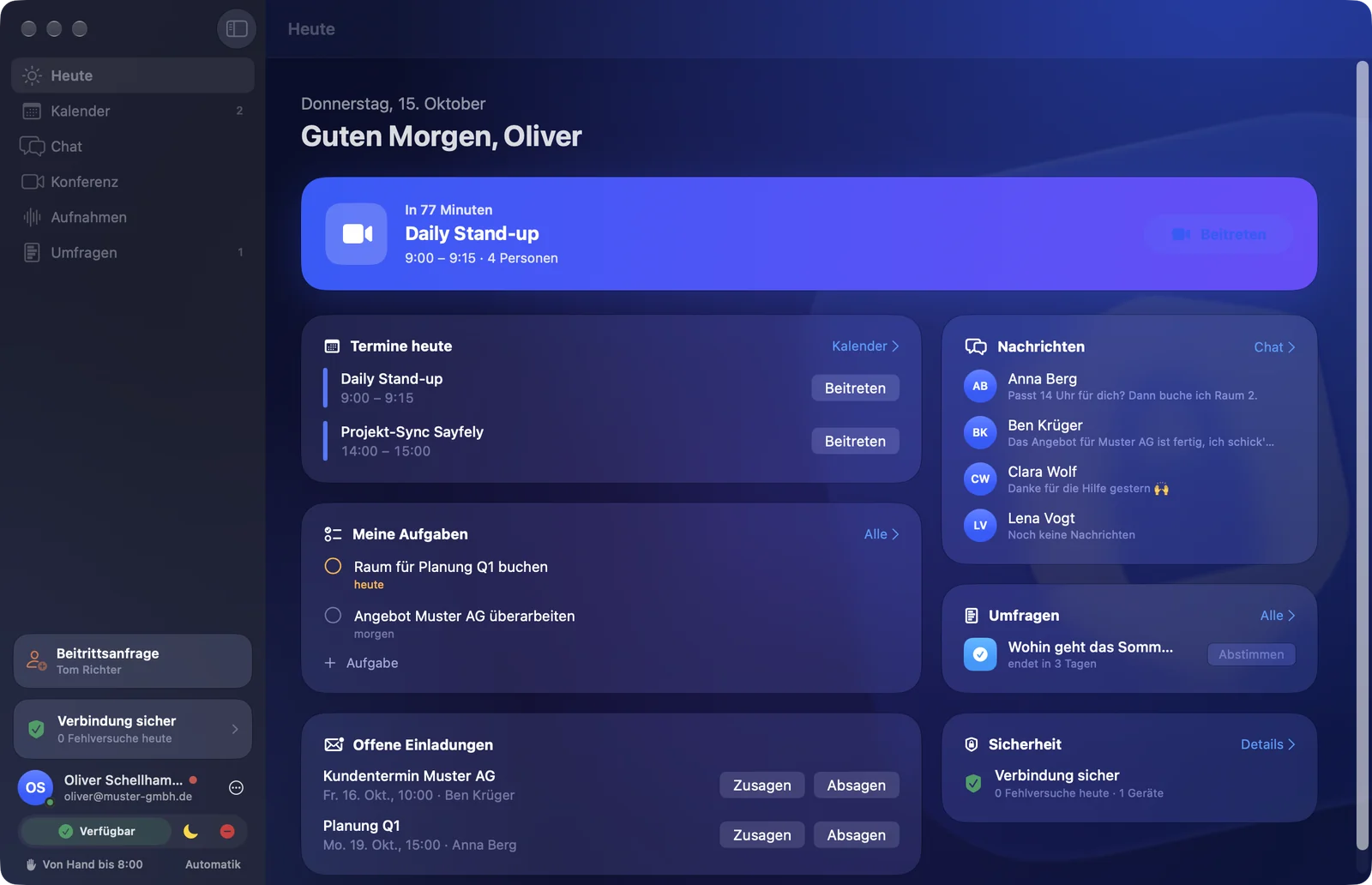
“Today”: your day at a glance.
Your next event with a Join button, today’s events, your tasks, open invitations, new messages, polls and the security status – all on one page.
- Automatic status: “Busy” during an event, “Away” outside your working hours – others see only the reason, never the event title.
- One place for your profile: Settings → Profile with name, department, picture and password. The picture can be a photo, your Mac user picture or a shot from the camera.
- Keeps running in the menu bar when the window is closed, so messages, reminders and calls still arrive.
- Fully usable by keyboard: ⌘0 to ⌘6 for every area.
Calendar
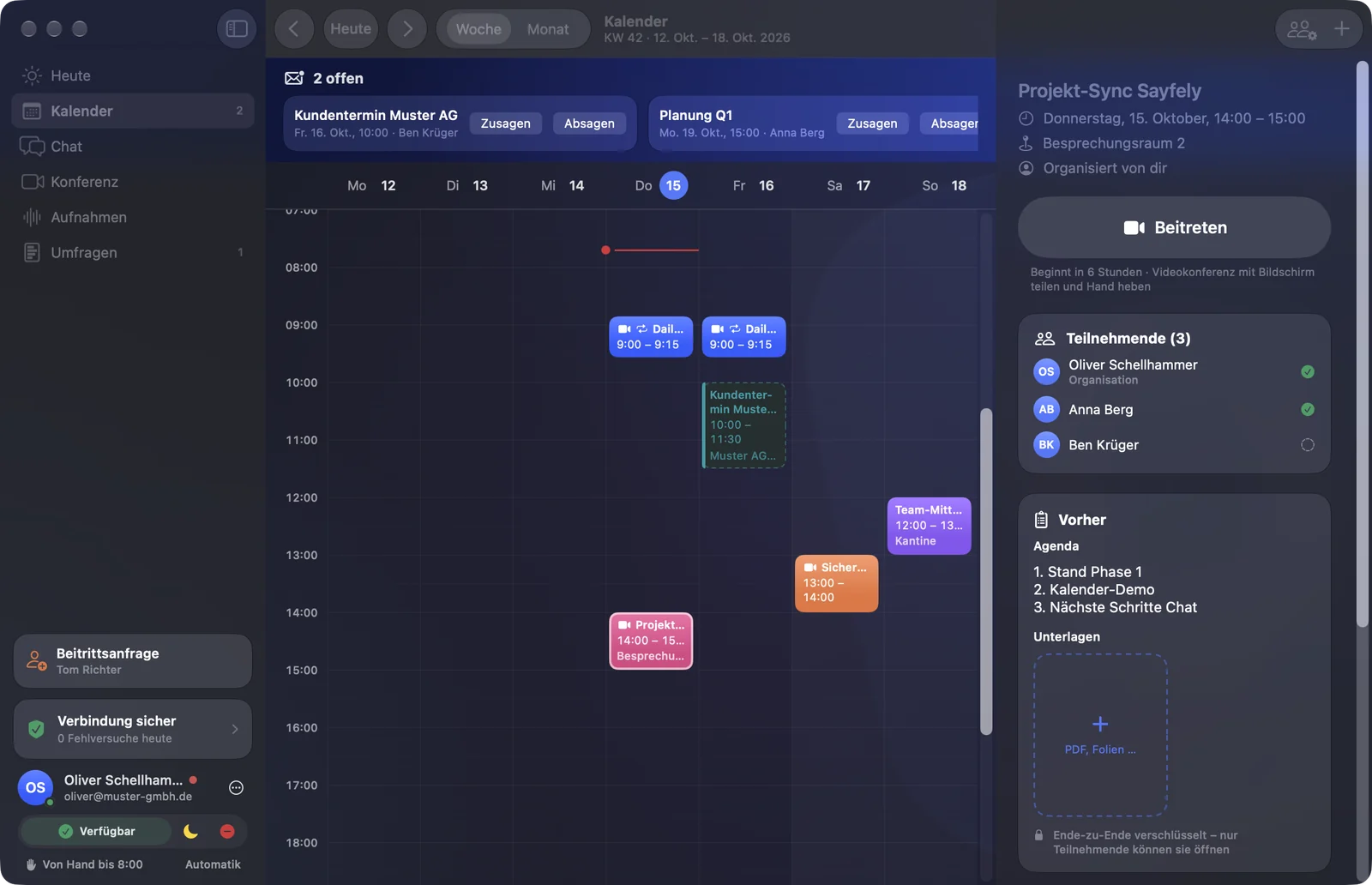
An event is the meeting’s file.
Before: agenda and documents. During: the Join button. After: recording, transcript and tasks – all in one place.
- Week and month views, recurring events, drag events to move them, ⌘Z to undo.
- Free/busy for each person while you invite; “Find a Time” suggests times when everyone can make it.
- Accept, Maybe, Decline – and as an invitee, propose a new time.
- “Suggest Agenda” plans items that fit the length, on your Mac.
- Export as
.icsfor anyone without Sayfely.
Reminders
The calendar is allowed to nag.
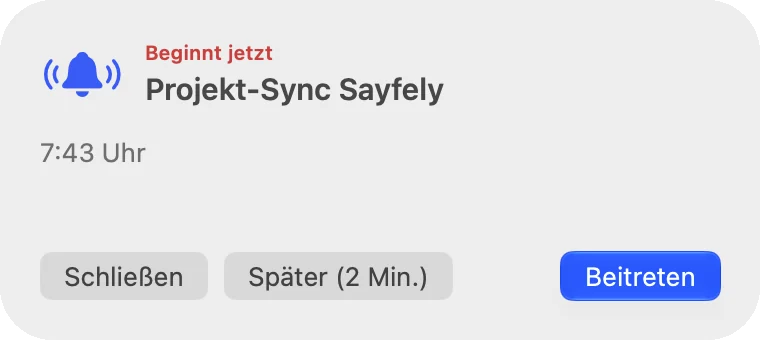
So nobody misses a meeting, Sayfely deliberately gets louder just before it starts:
- 10 minutes before: a banner and a bell sound.
- 1 minute before and at the start: a small reminder at the top right, above all windows and desktops, with a countdown. It keeps ringing until you click “Join”, snooze it for 2, 5 or 10 minutes, or close it – you can turn the sound off there or pick a different one. On top of that, the Dock icon bounces and the menu bar icon flashes.
Chat
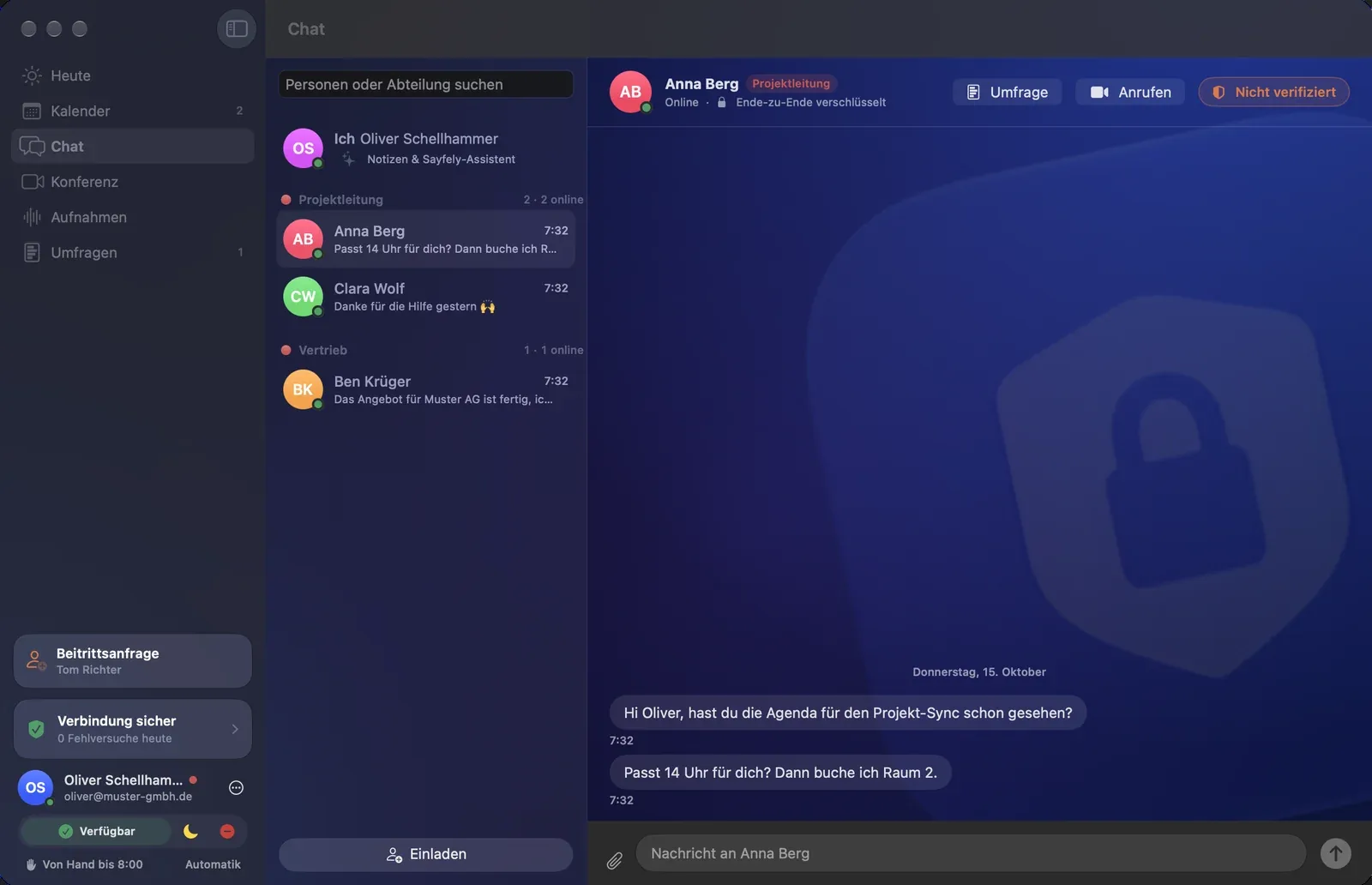
Message anyone – end-to-end encrypted.
One-to-one conversations, your own groups and a channel for each department, plus voice messages with a transcript. Colleagues are listed by department – in the office, working from home or on the road, all through your company’s own server.
- Files by drag and drop, up to 50 MB, encrypted. Voice message with ⇧⌘R.
- Leave or delete a group by right-clicking it in the list. Only the creator and admins can delete it for everyone.
- Replies, reactions, editing and “Withdraw for Everyone”.
- Delivered and read receipts – can be turned off, then in both directions.
- One click on “Call” starts a video call.
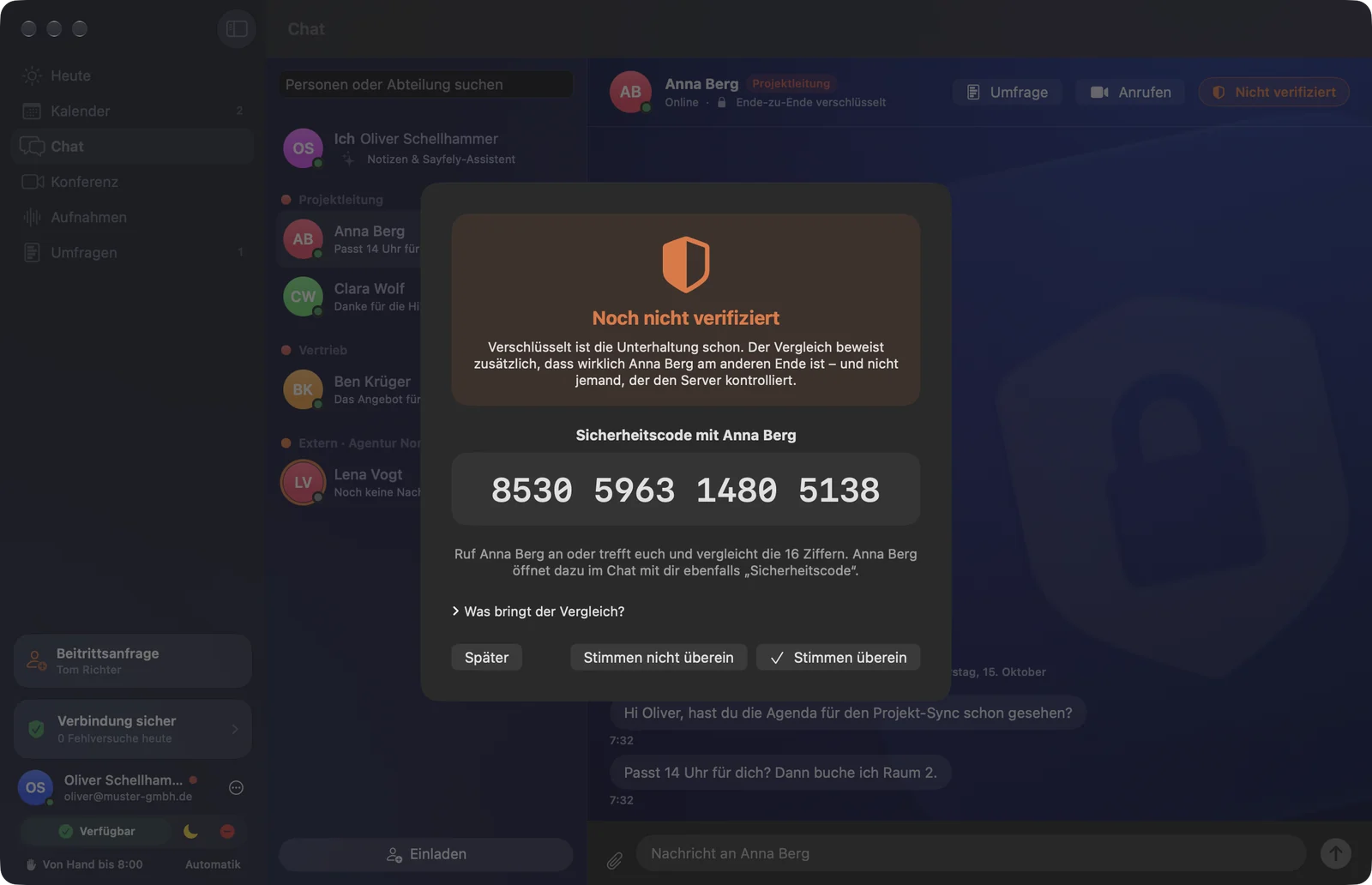
Safety code
Check that it really is the right person replying.
Every conversation has a 16-digit safety code, derived from both sides’ keys. Compare it on the phone or in person and the contact is marked “Verified”. If the code changes, Sayfely warns you.
Useful for confidential matters – such as HR or contract topics.
“Me” & assistant
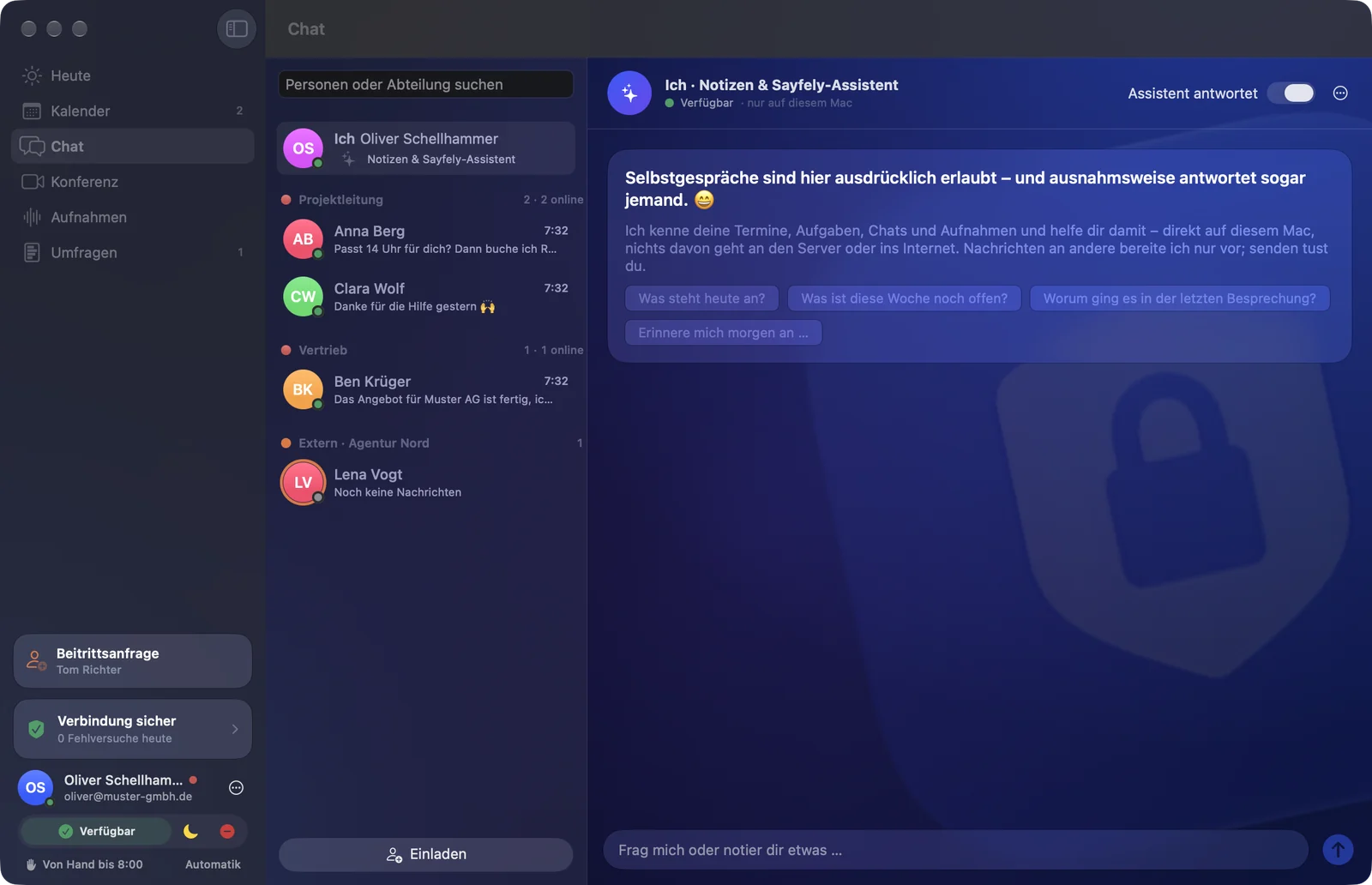
An assistant that lives only on your Mac.
At the very top of the chat is “Me”: your status, notes to yourself and the Sayfely assistant. It knows your events, tasks, chats and recordings and answers questions like “What’s on today?” or “What was the last meeting about?”.
- Runs with Apple Intelligence on your Mac – nothing goes to the server or the internet.
- Never sends anything by itself: message drafts need “Send”, tasks need “Create”.
- The history is stored encrypted on your Mac.
Conference
Video with everyone. Without distractions.
Video and audio run end-to-end encrypted through the conference server that comes built into your Sayfely Server. A running conference is dark and calm – and deliberately has no chat.
- Share your screen, an app or a single window.
- Raise your hand – everyone sees in yellow who wants to speak.
- Preview camera and microphone before anything is sent. Effects such as Portrait, Studio Light or Voice Isolation are switched on via the green camera icon in the macOS menu bar.
- Shared whiteboard – everyone in the room can draw along, end-to-end encrypted.
- Large rounds: you join muted and speak while you hold the space bar. Whoever is not speaking is refreshed less often – that saves bandwidth.
- Live transcript: everyone speaks and reads in their own language; translation happens only for reading, on each person’s own Mac.
Guests in the browser: partners and customers get an invitation with a link and join the conference with audio, video and screen sharing – without installing anything, once someone in the room has let them in.
Instant Conference
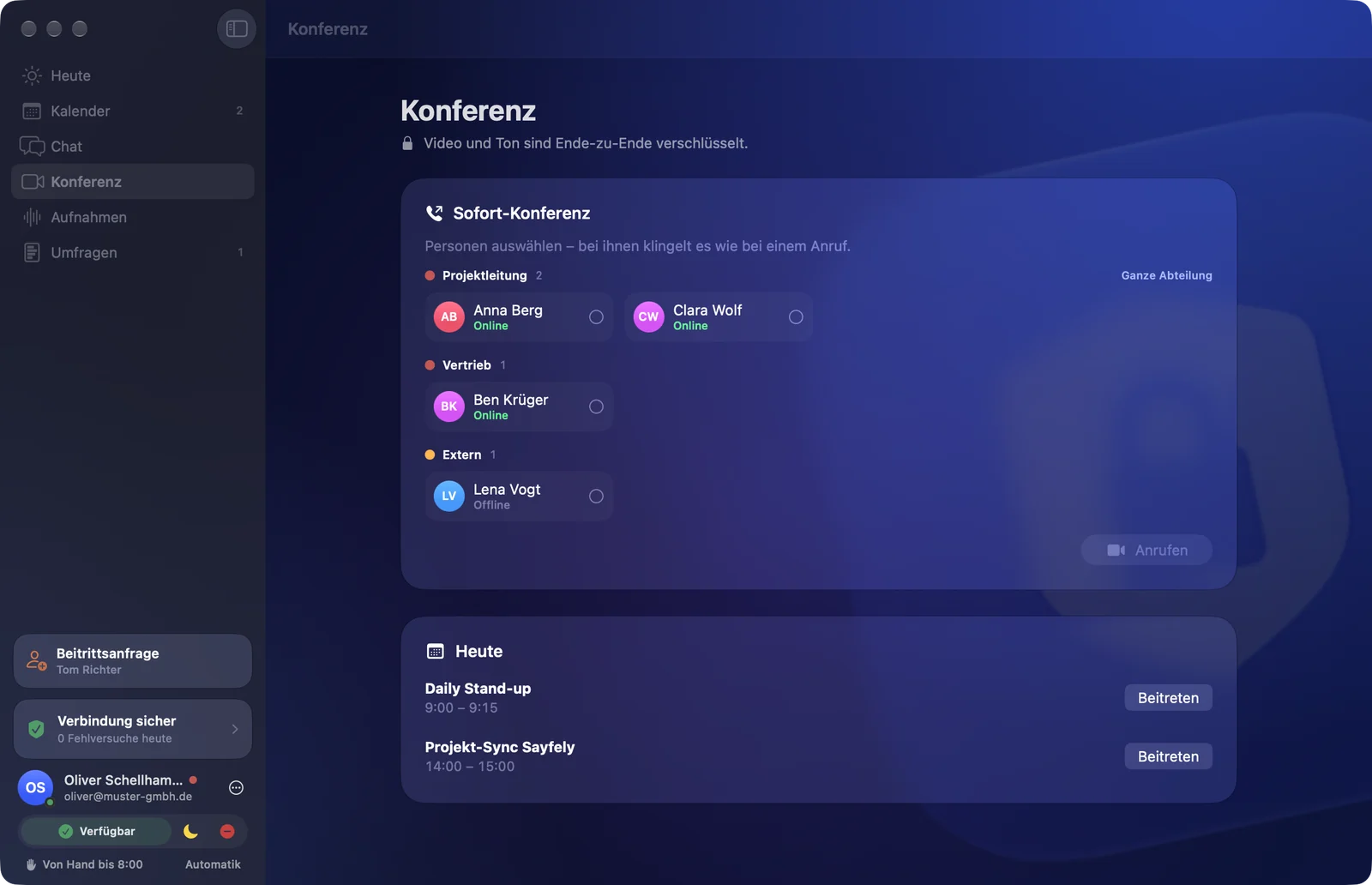
It rings – just like a phone call.
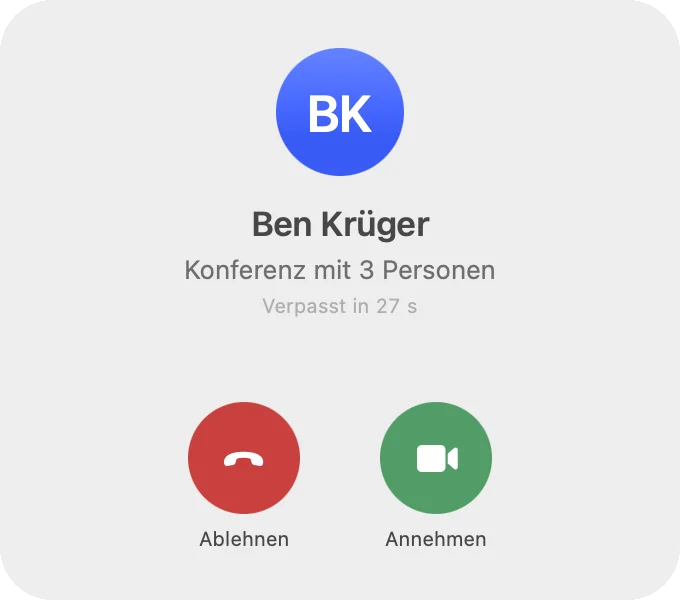
Pick people, “call” – a call window of its own appears for them above all other windows, with a ringtone and a bouncing Dock icon. Accept or decline; after 30 seconds without an answer the call counts as missed.
With “Whole Department” you call everyone who is available right now.
Recordings
An hour-long meeting in a few minutes.
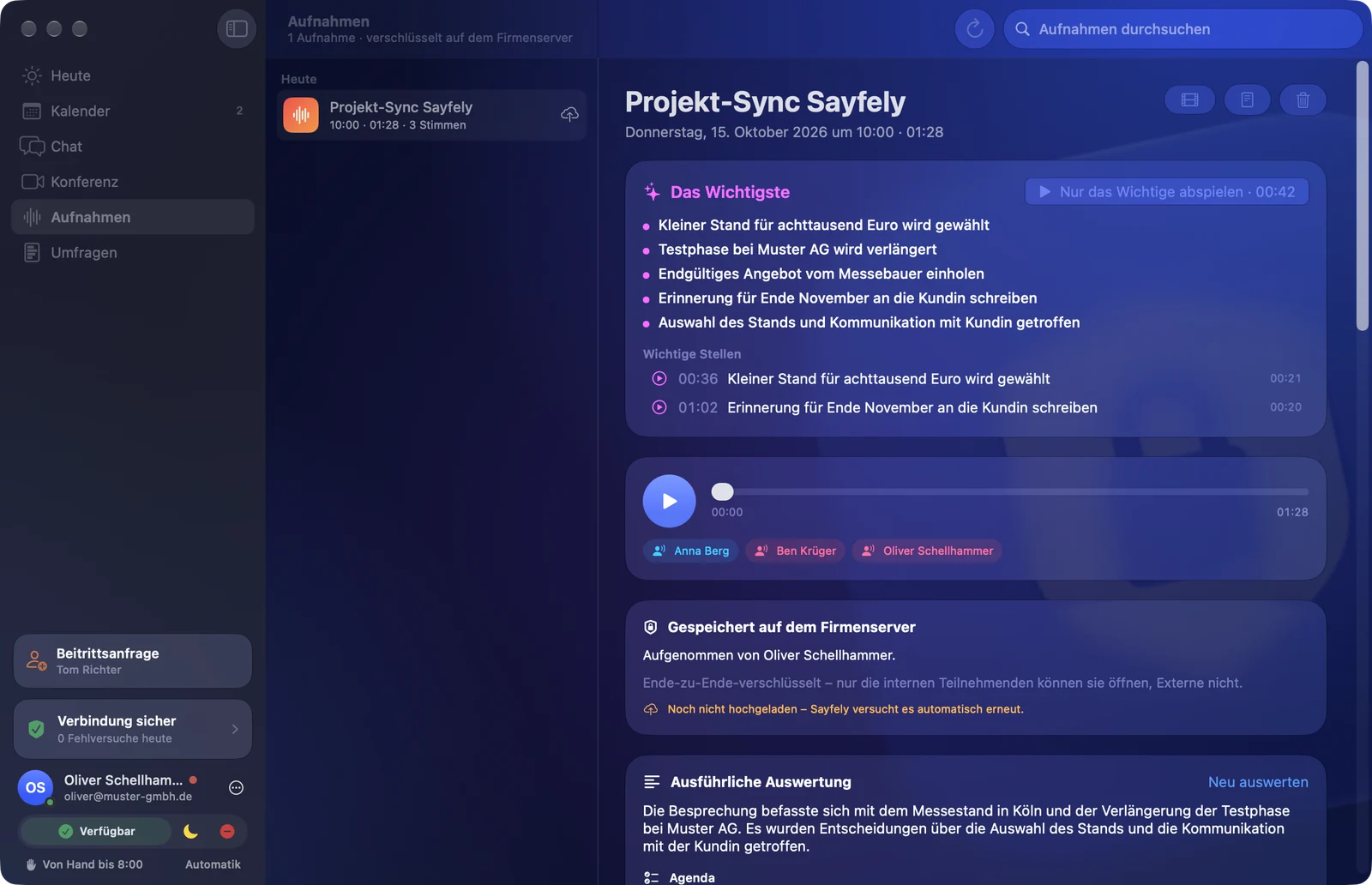
“Key points” shows the main points and important moments at the top. “Play key moments only” plays exactly those, one after another. Below: the video, a player with every speaker and the conversation as a transcript.
- Only with consent: recording starts only once everyone present has answered. Anyone who declines is not recorded – no audio, no video, no transcript.
- Exact speakers: every voice is transcribed separately on the Mac.
- Insights: summary, checked-off agenda, chapters, decisions, tasks and open questions – and “Ask the Meeting”. Tasks are ready as suggestions; only what you click is created.
- Export: from one menu as a report (PDF), report with transcript, transcript as text, video or audio.
Tasks
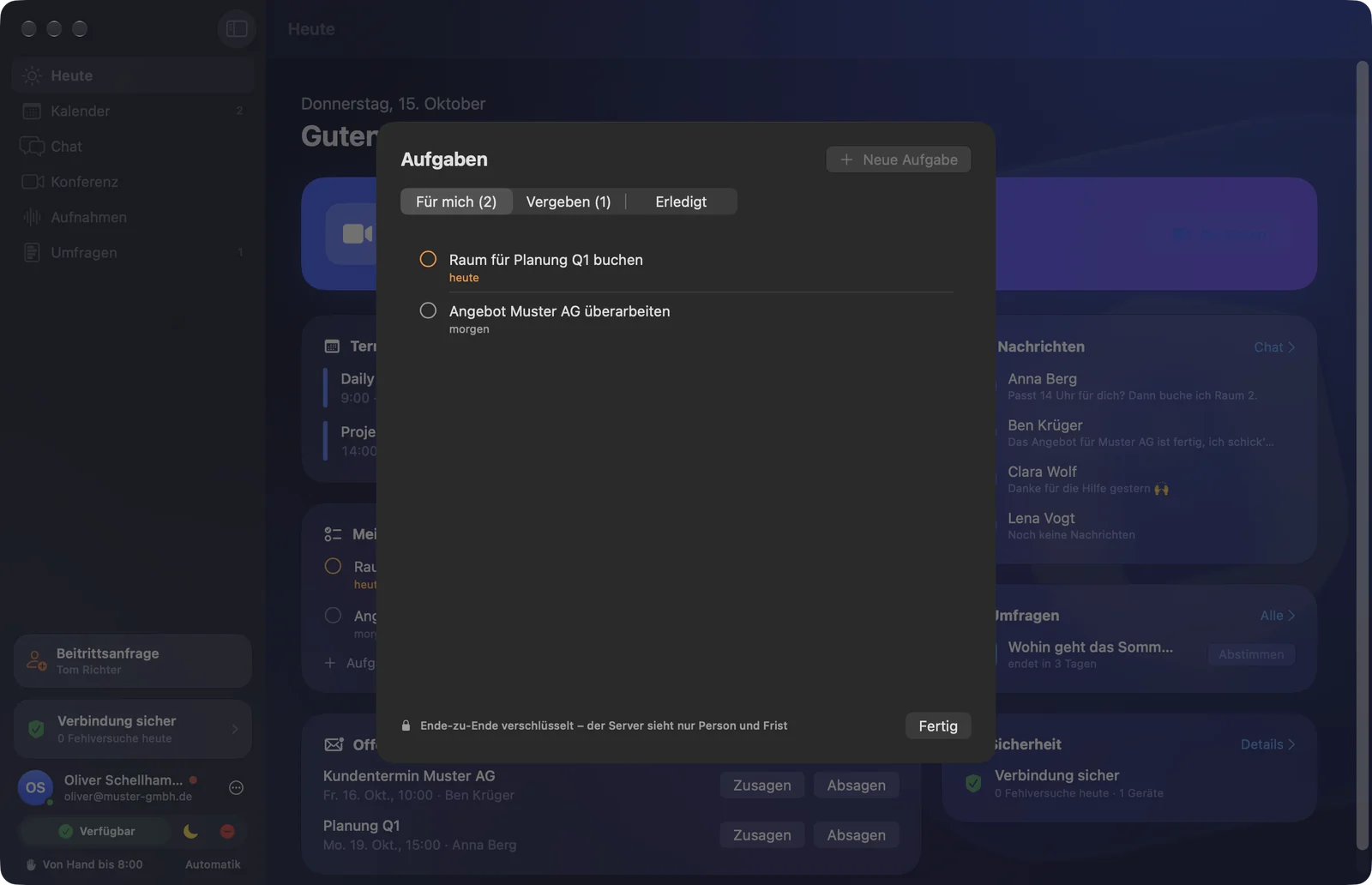
Tasks – straight from the meeting.
Give yourself or a colleague something to do with a deadline, ideally straight from a recording’s insights. Tabs “For me”, “Assigned” and “Done”; Sayfely reminds you at 9 a.m. on the due date. The server sees only the person and the deadline.
Polls
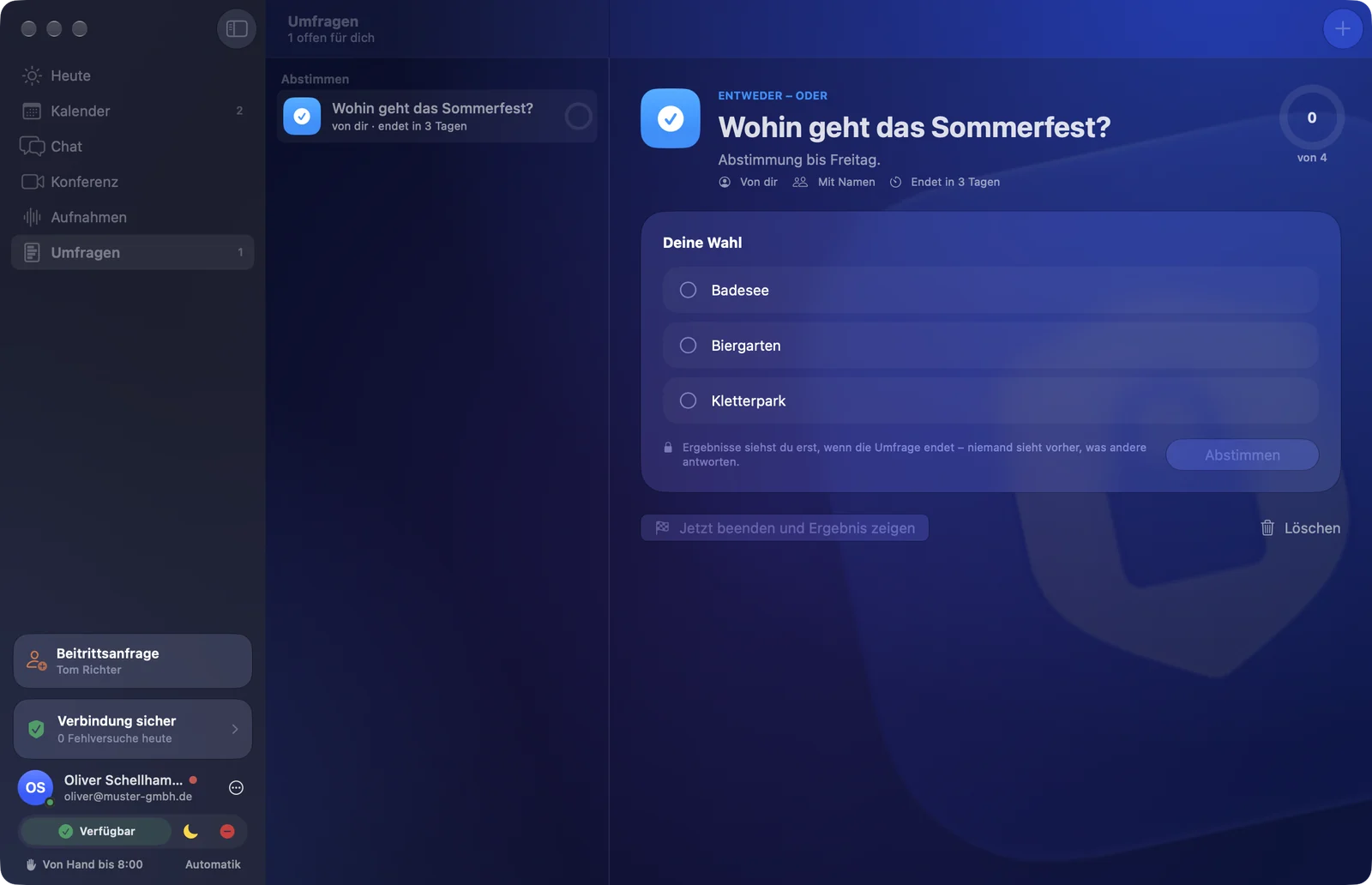
Ask the team something, fast.
Either-or, multiple choice, star rating or finding a date. What’s special: everyone sees the result only at the end, all at the same time – nobody is swayed beforehand. Anonymous if you like.
Search
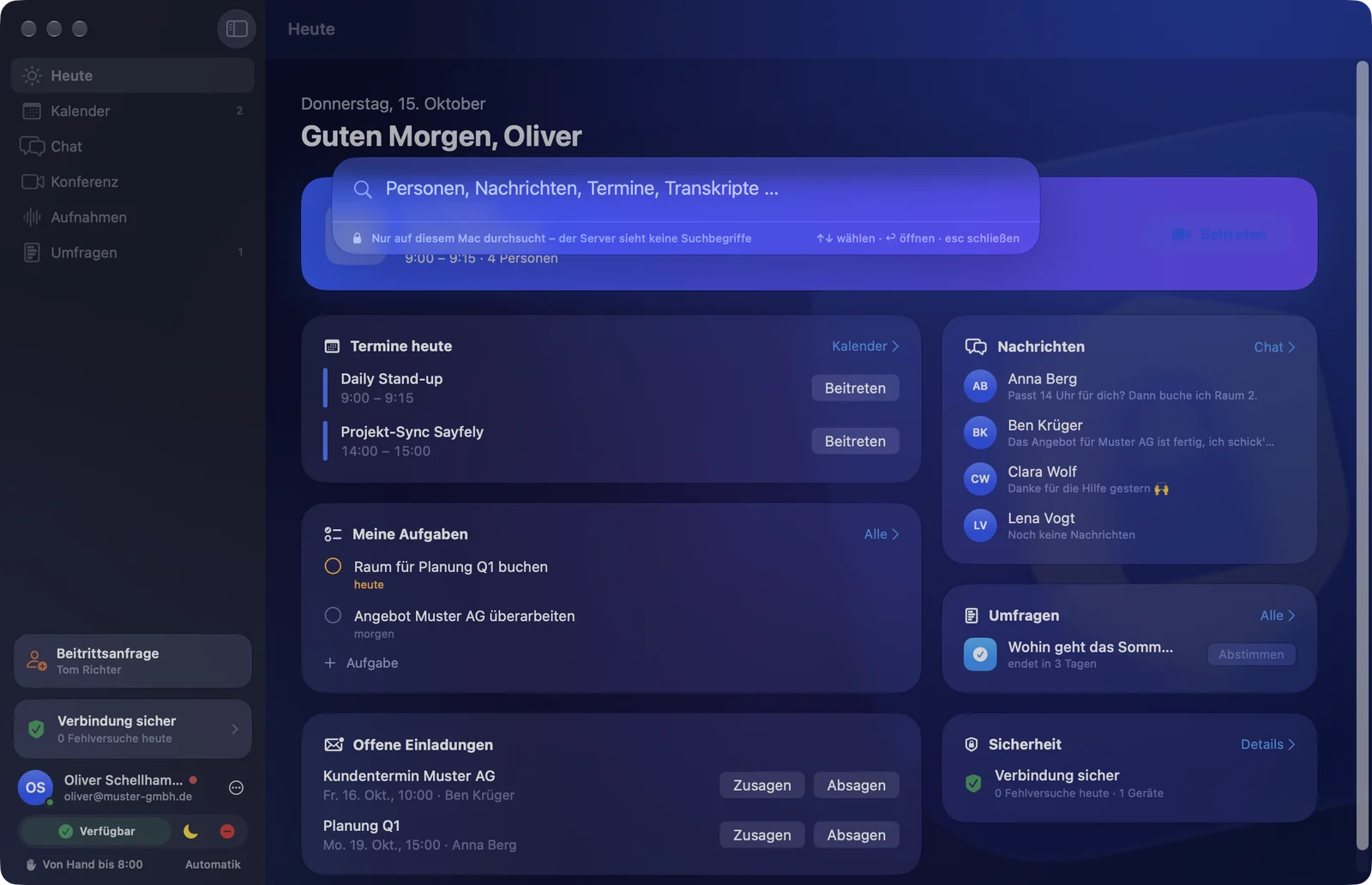
⌘K – one field for everything.
People, messages, events, documents, recordings and transcripts, polls and tasks. A result takes you straight to the right place.
Search runs only on your Mac, over what it has already decrypted. The server never sees what you are looking for.
Around meetings
Prepared going in, wrapped up coming out.
Everything runs on your own Mac and your company’s server.
Report as PDF
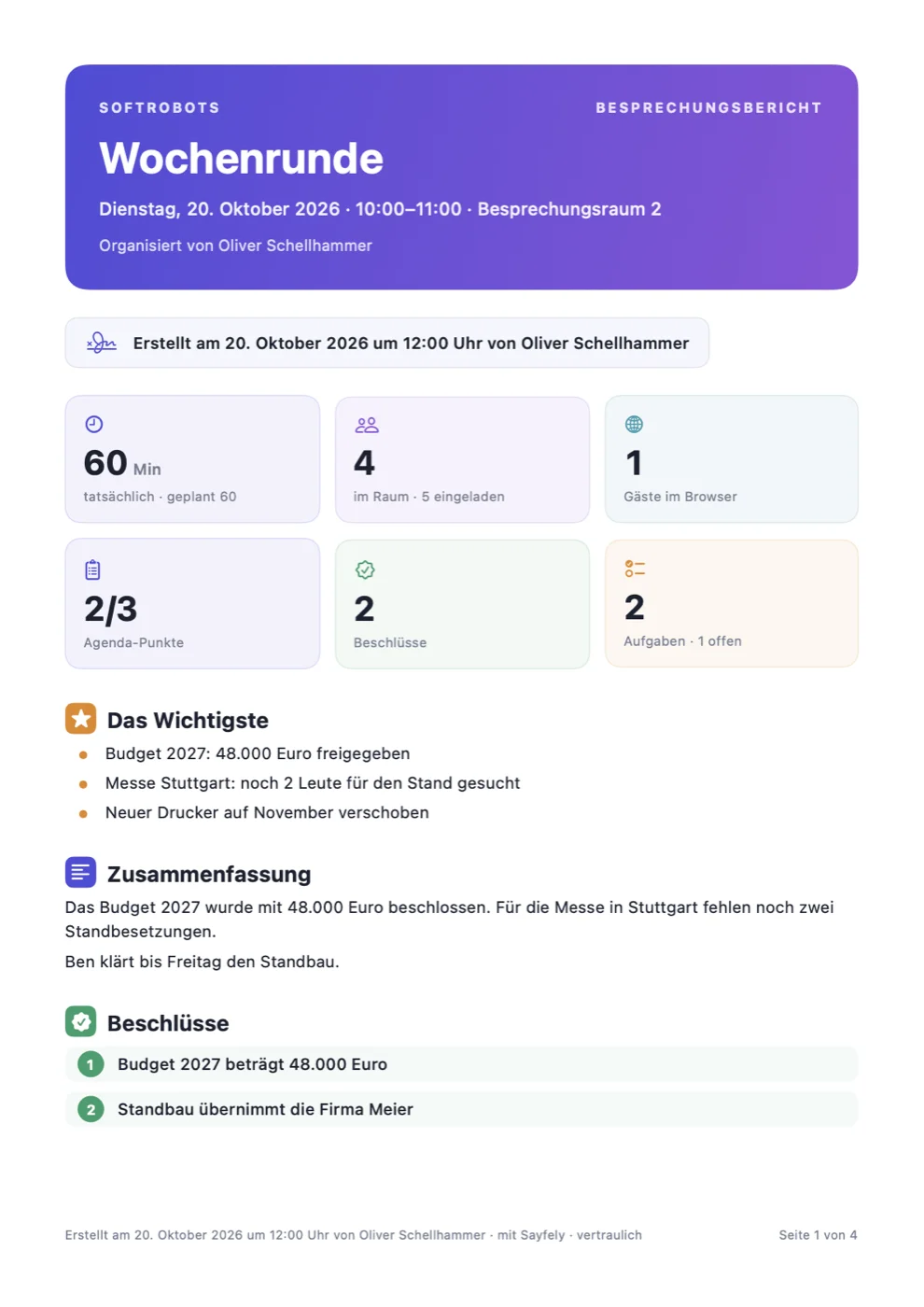
A meeting summed up in one click: decisions, agenda, who was there when, speaking time, tasks, polls and timeline. Every page states when and by whom it was created – made only on your Mac.
Ask your meetings
“What did we agree with Müller about the delivery date?” – the assistant searches all recordings and agendas and answers with the exact spot to click.
Cheat sheet before the meeting
What was decided last time, which tasks are still open or blocked, new documents and who is missing – in the event and in the room under “Last Time”. 15 minutes before, it arrives as a quiet banner.
Agenda in the room
The event’s items to check off – for everyone in the room at the same time, with the time. Shortly before the end, the room shows the time left; the organizer extends by 15, 30 or 60 minutes. People and guests can also be added while the meeting is running.
Tasks follow up
On the working day before the deadline, Sayfely asks: “Can you make it?” – Done, 2 Days Longer or Blocked, right in the notification. Whoever assigned the task hears about it at once.
In the Mac’s Calendar
If you like, your Sayfely events appear in a calendar of their own called “Sayfely” – by default only as “busy”, without content. IT decides how much may appear there at most.
Event templates
Weekly meeting, job interview, customer meeting: save title, agenda, people, guests, length and video as a template and fill them in with one click.
Guests in the browser
Invite customers and partners by email. They join in the browser without installing anything – with audio, video and screen sharing, end-to-end encrypted. Only people someone in the room lets in get in.
Notifications
Each area speaks up as loudly as it needs to.
Instead of everything beeping at the same volume: chat is subtle, the calendar insistent, calls ring like a phone. Focus modes such as “Do Not Disturb” are respected.
Chat – subtle, but hard to miss
A short, quiet sound (can be turned off). Always visible even without sound: a count on the Dock, in the menu bar and on the chat entry. By default, banners only say “New message from …” – without the text.
Calendar – allowed to nag
A banner and a bell 10 minutes before; from 1 minute before, a small reminder window with a countdown, a Join button and a choice of sound. Invitations and changes as a normal banner.
Conference – it rings
A call window of its own with Accept and Decline, “Missed” after 30 seconds. Adjustable per area: sound on or off, which sound, volume.
For IT
Sayfely Server: one window for everything.
The server is an ordinary Mac app. It comes with PostgreSQL and the LiveKit conference server, keeps running as a background service when the window is closed, and starts by itself after a restart.
Approvals with check words
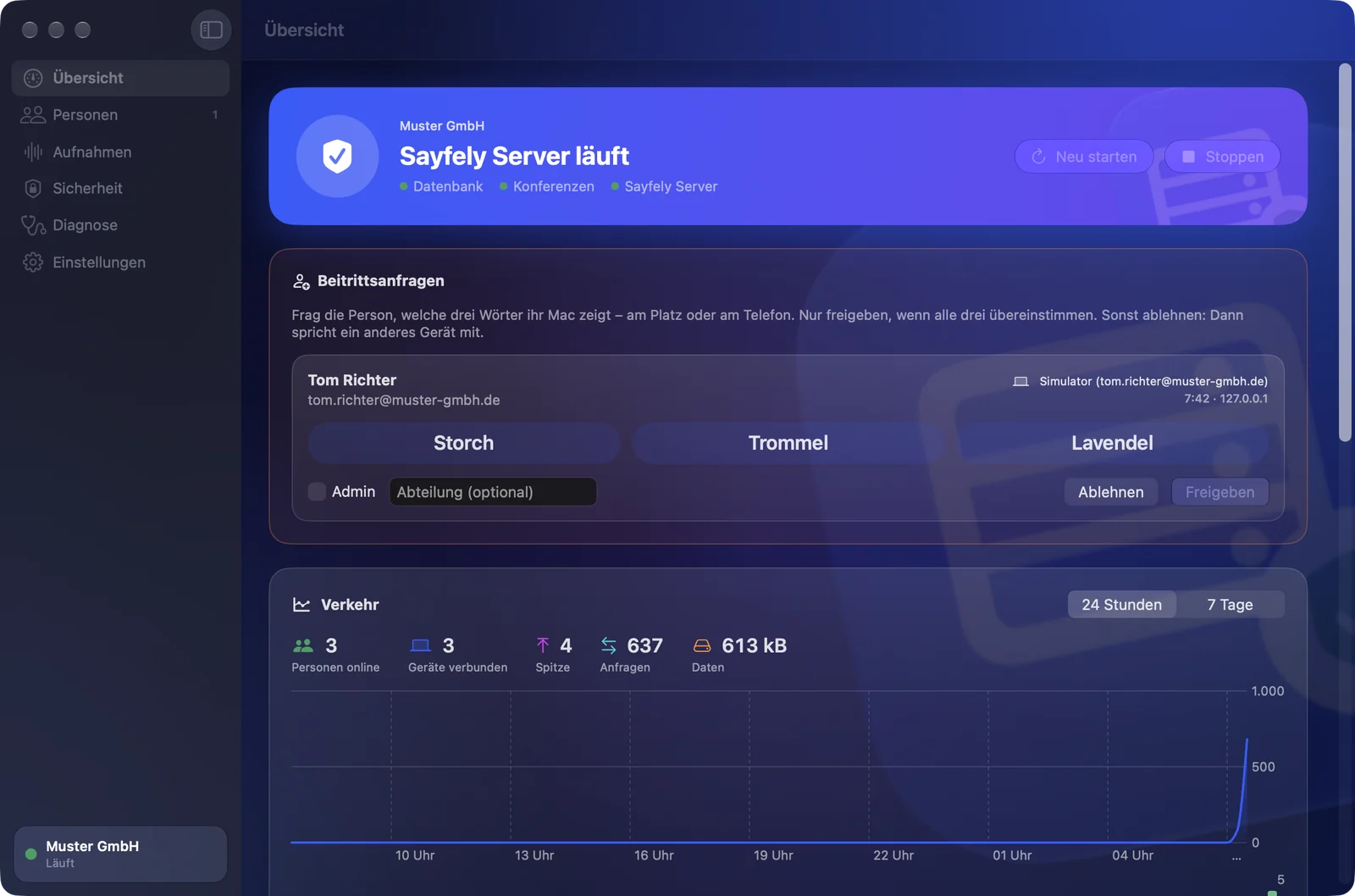
Join requests appear in the server app and, for every admin, in the Sayfely app – approve once the three words match.
Updates from your own server
Only the server app gets updated. The Mac apps in the office then fetch their update themselves – checked for signature and Apple notarization. If that ever fails, there is always “Load in the Browser”.
Backup every night
An encrypted backup at 2 a.m. to an external drive or a network drive; the last 14 are kept. Moving to a new Mac included.
Retention periods for recordings
Separately for video, audio and transcript – from 7 days to unlimited. The server deletes by itself, and the apps follow.
Diagnostics without content
Error reports from the apps, a diagnostics package and traffic statistics – never messages, event texts, file names or keys. With a built-in load test.
Security events
Failed attempts, new devices, wrong invitation codes and certificate changes – logged and reported live to the people affected.
For guests in the browser, IT enters an email account (SMTP) in the server app; invitations, reminders, changes and cancellations go out through it. For access via port 443 the server fetches a Let’s Encrypt certificate for its public IP address by itself – no domain needed. IT also sets there how much of an event may appear in the Mac’s calendar.
For companies with their own Linux server, Sayfely Server is also available as a Docker package – the route for specialists, without the server app. More in the admin manual.
Try it with your team.
Free for up to 3 people, with every feature – security, recording, transcript and assistant are never cut back.