 Sayfely
Security
Security you can explain.
For management, data protection and IT: how Sayfely protects content, whom it trusts – and what isn’t finished yet. No marketing fog.
- End-to-end encrypted
- TLS 1.3 with server pinning
- No cloud, no telemetry
- AI only on your own Mac
For decision-makers in one minute
The server delivers. Only the people involved can read.
Sayfely runs on a server of your own in your office. Content is encrypted on the sender’s Mac and only becomes readable again on the recipients’ Macs. The server stores and distributes nothing but scrambled data – so even your own IT can’t open messages or recordings, and we as the maker have no access at all.
| What | Where it is stored | Who can read it |
|---|---|---|
| Chat messages and files | encrypted on the company server | only sender and recipients |
| Meetings (title, agenda, location, documents) | encrypted on the company server | organizer and invitees. The server only knows times, recurrence, people, responses and the conference room. |
| Tasks | encrypted on the company server | the people involved. The server only knows the person and the due date. |
| Video and audio in conferences | transmitted live, end-to-end encrypted | the participants, including guests who were let in |
| Recordings, transcripts, analyses | encrypted on the company server, with retention periods | the internal participants of the meeting or instant conference – never guests |
| Notes and assistant (“Me”) | only on your own Mac, encrypted | only the person themselves |
| Meeting log, report (PDF), cheat sheet, event templates | only on your own Mac; the log is deleted after 90 days and when you sign out | only the person themselves – until they pass a report on |
| Name, department, profile picture; name and members of groups | on the company server, not end-to-end encrypted | the server and your colleagues |
| Meetings with guests in the browser: title, time, the guests’ email addresses | on the company server; the title is stored there in plain text so it can appear in the invitation, and is deleted after the meeting | the server and the guests. Agenda, location and documents stay end-to-end encrypted. |
| The Mac’s calendar (only if switched on) | in a calendar of its own called “Sayfely”, unencrypted; by default only “busy” without content | whoever can see that calendar. IT sets the most that may appear there. |
| Search terms | nowhere – search runs on the Mac | only the person themselves |
| Error reports | on the company server, 30 days | your own IT – technical data only, no content |
End-to-end encryption
Keys stay on the devices.
Every Mac has its own device keys, stored in the macOS keychain. Keys for each message and each file are derived from them; the server only receives the ciphertext.
- Key exchange: X25519. Signatures: Ed25519 or P-256.
- Encryption: keys derived with HKDF and ChaCha20-Poly1305 or AES-GCM – using Apple’s CryptoKit, no home-made cryptography.
- Conferences: video and audio via the included LiveKit server with end-to-end encryption enabled.
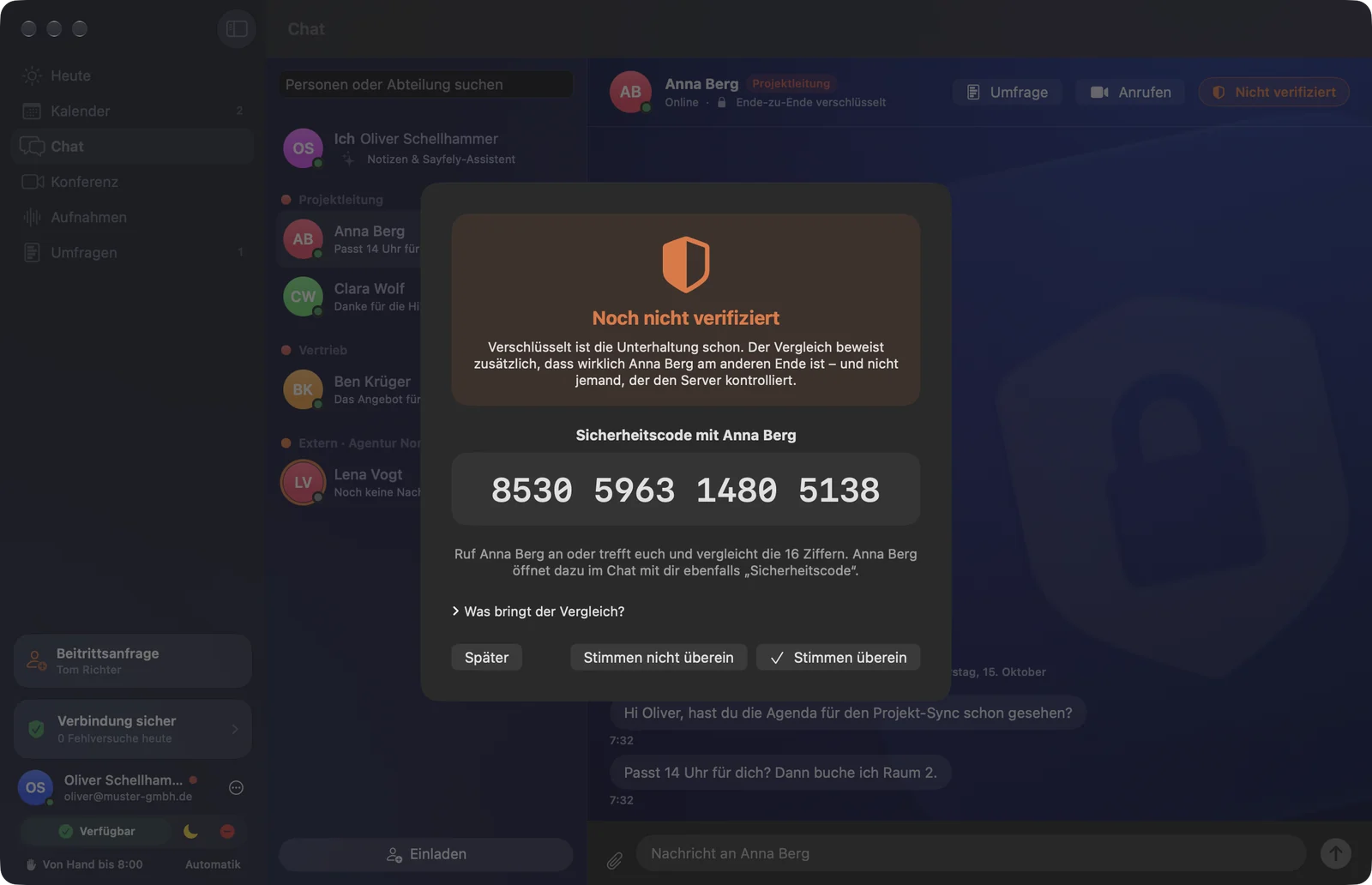
- Security code: 16 digits per contact, derived from both public keys – to compare over the phone. If it changes, the app warns you.
A consequence of the design: a newly set-up Mac can’t read older messages, because they were encrypted for the devices of that time. That is intentional.
TLS 1.3 and server pinning
Nobody can get in between unnoticed.
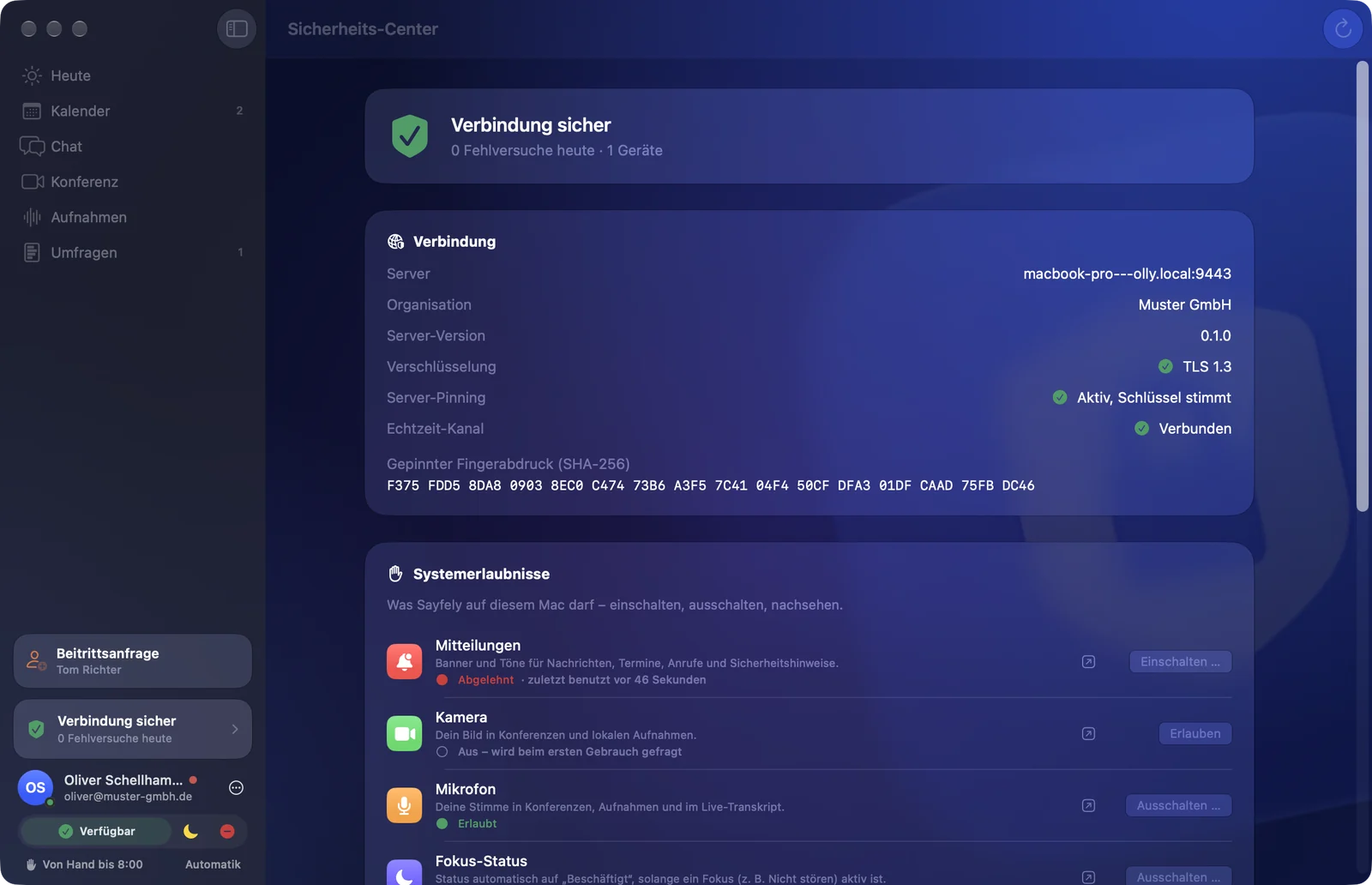
All connections use TLS 1.3 – the server doesn’t accept older versions. During setup, the server creates its own key (P-256) that stays the same forever. Its fingerprint is a SHA-256 value.
- Every Sayfely app remembers this key on its first connection (“trust on first use”).
- If a different key shows up later, the app blocks with the clear warning “Connection Blocked” and sends nothing. The event is logged.
- The apps check the key, not a certificate authority – so you don’t need to buy a certificate.
- Nobody has to type long fingerprints: they are contained in invitation links or confirmed with the three check words.
Joining in the office
Three check words replace password emails and fingerprints.
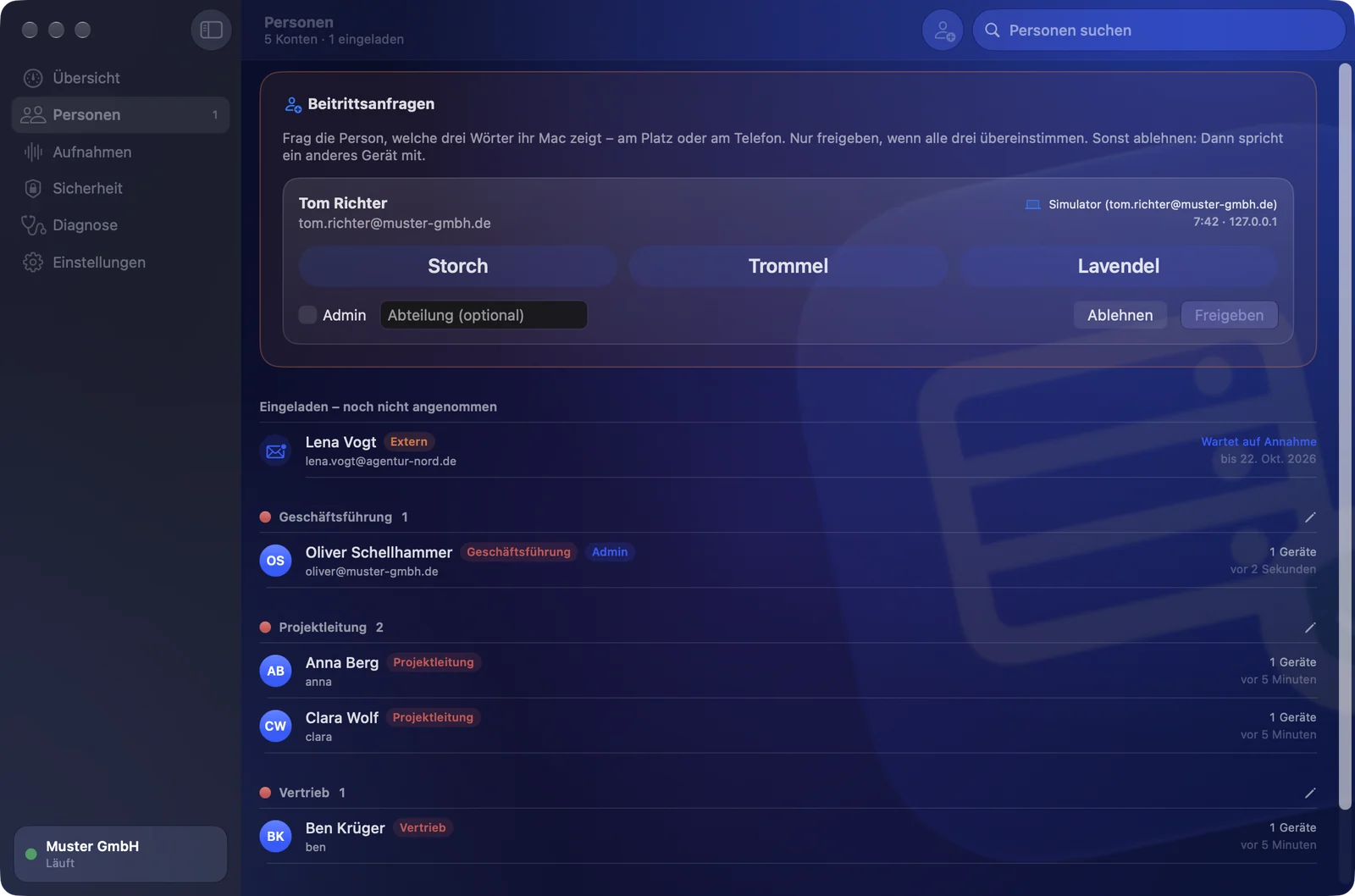
The server announces itself on the company network (Bonjour), like a printer. New colleagues send a join request from there themselves; only admins may approve it – after both sides see the same three words.
- The words are computed independently on both sides: from the server’s fingerprint, the Mac’s keys and one random number from each side.
- The Mac commits to its random number with a hash commitment before it knows the server’s. A device in between gets exactly one attempt: about 1 in 134 million (27 bits).
- Default: requests only from private networks. At most 30 open requests, 5 per address, valid for 7 days. The request is sent without a password: it only leaves the Mac after approval and confirmed check words.
- Request, approval and rejection are security events. The first account becomes an admin.
Invitations
New colleagues – working from home, too.
Anyone who can’t join in the office gets a secure invitation from an admin (in the chat: “Invite to the Team”). The server enforces the rules, not the app.
An invitation in two parts
- A one-time link with a 256-bit secret by email; the server stores only a hash of it.
- A separate 6-digit code – by phone or in person, never by email.
- Expires after 24 hours, 72 hours or 7 days; locked after 5 wrong codes. Every failed attempt is reported.
Only for your own company
- Only admins may invite people and approve join requests.
- The invitation link contains the server’s fingerprint – the app connects only to exactly this server.
- Accounts exist only for people from your company.
- Guests in the browser: only with a personal link for one specific meeting, tied to the browser it was first opened in. Only those whom someone in the room lets in get in – with audio, video and screen, without an account, chat, documents or recordings.
Sign-in and security events
Failed attempts are counted, locked and reported.
Passwords
Stored only as a bcrypt hash, at least 10 characters. After 5 failed attempts, a 15-minute lock – separately for the account and the network address. Attempts are counted before the check, so many simultaneous attempts get no extra chances.
Reported live
Wrong password, new device, wrong invitation code, certificate change, join requests: every event is logged with time, source, device and result and shown to the person concerned right away.
Your devices at a glance
At the bottom of every sidebar: “Connection Secure” and today’s failed attempts. Everyone can sign out a lost device themselves in the Security Center.
Recordings and GDPR
Only those who agree are recorded.
- Consent: recording only starts once everyone present has answered. Anyone who declines, doesn’t answer or withdraws later is not recorded from then on – audio, video and transcript. Everyone sees “Not recorded: …”. People who join later are asked.
- Log: every decision is in the consent log with its time – encrypted and exportable.
- Notice: “Recording” stays visible to everyone the whole time.
- Access: only the internal participants of the meeting or instant conference, never guests. Even admins can’t open a recording in the server app.
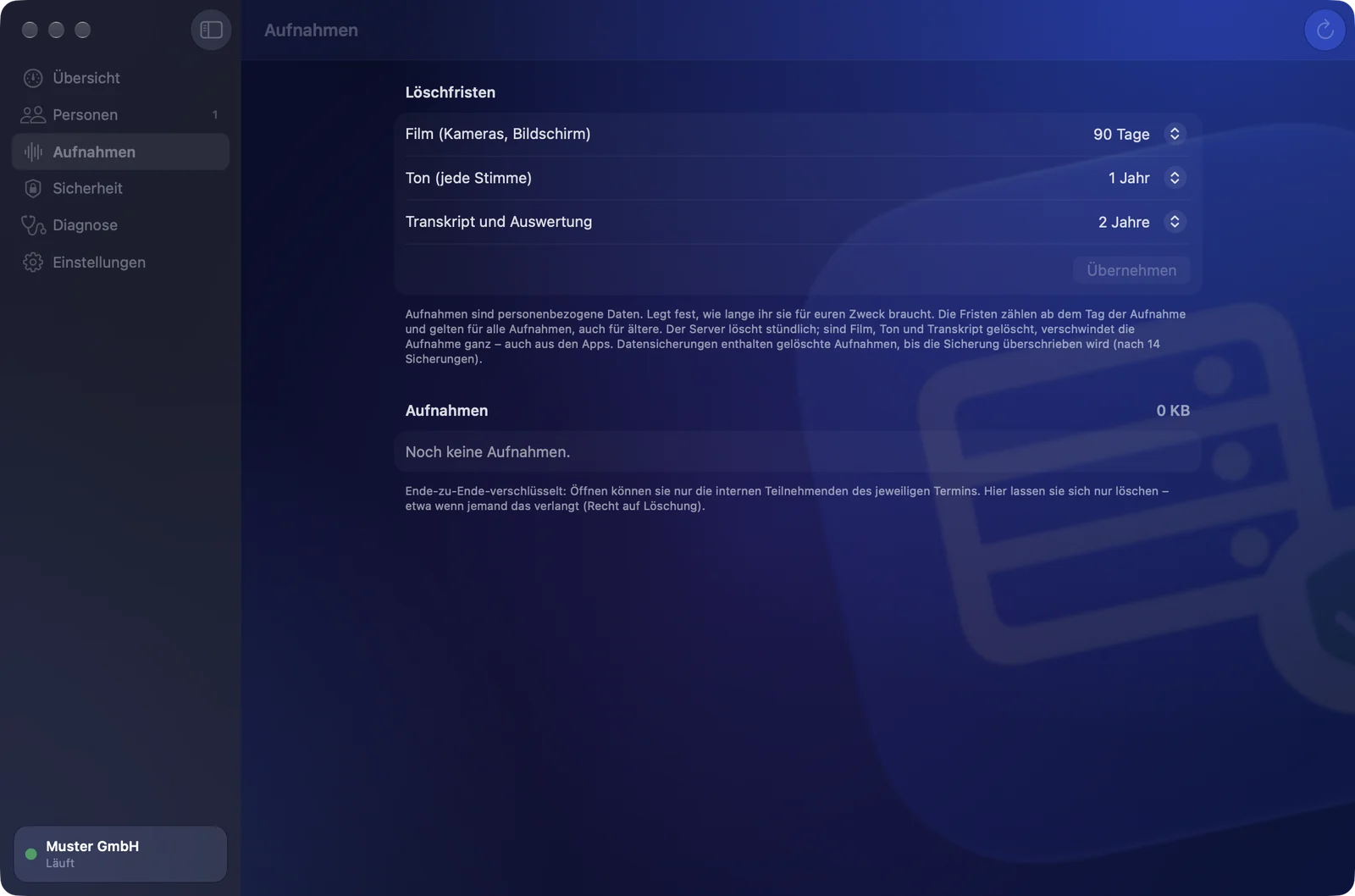
- Retention periods: separate for video, audio and transcript, set by IT (7 days to 10 years, or unlimited). The server deletes on its own, the apps follow. The person who recorded and admins may delete individual recordings.
A note for your deletion policy: nightly backups contain deleted recordings until the backup in question is overwritten (after 14 backups). Exported files are outside Sayfely.
Logs, diagnostics, telemetry
Technical data yes, content never.
Error reports to your own IT
The app writes a technical log: connection, errors, versions. Never messages, meeting texts, file names, passwords or keys. A report goes to your own server (kept for 30 days) or is saved as a file.
Statistics without addresses
Per minute, the server only counts numbers – requests, data volume, connections – without addresses and without content. Kept for 8 days.
No telemetry
No cloud, no external services, no statistics sent to us or anyone else. Updates come from your own server, not from the internet.
AI on your own Mac
Transcript, translation and assistant – without the cloud.
Speech recognition uses Apple’s on-device speech recognition; summary, “Key points”, agenda suggestions, the assistant and “Ask your meetings” use Apple Intelligence (Foundation Models) on the Mac. None of it goes to an AI provider.
Transcribed voice by voice
The recording person’s Mac recognizes each voice separately – so it is always clear who said what. The result then goes to the server, encrypted.
Everyone in their own language
What is stored is always the original wording. Translations are made only for reading, on your own Mac, and are never stored.
An assistant that doesn’t act on its own
The assistant never sends or creates anything by itself: drafts need “Send”, tasks need “Create”. Its history is stored encrypted on the Mac.
Operation
Staying secure day to day.
Signed updates
The server app only installs newer versions from the same publisher that are notarized by Apple. The Mac apps get updates from the company server over the verified, encrypted connection and check signature, publisher and notarization. Older versions are never installed.
Encrypted backup
Every night at 2:00 a.m., encrypted with a separate backup password (AES-256-GCM, key via PBKDF2-SHA256 with 600,000 rounds). Database, files and the server key – so the fingerprint stays the same after a move.
Not on the internet by default
The server is built for the company network; nothing needs to be opened on the router. For working from home, IT enters a public address in the server app under “Access from the internet” and sets up exactly the port forwardings the app lists (port 443 is added for guests in the browser; the server fetches the certificate from Let’s Encrypt by itself, for the IP address, no domain needed) – or uses a VPN. Pinning, TLS 1.3, lockouts and end-to-end encryption apply from outside, too.
Protect the server Mac
Anyone sitting at the signed-in server Mac can manage accounts (they can’t read content). Put it in a lockable place, with a good user password and automatic screen lock.
To be honest
What’s already built – and what’s still to come.
Sayfely is a young product. We’d rather tell you what’s missing than have you find out yourself later.
| Topic | Status | Details |
|---|---|---|
| End-to-end for chat, files, meetings, tasks, recordings | built | As described above. |
| TLS 1.3, server pinning, check words, secure invitations | built | Including lockouts after failed attempts and security events. |
| Guests in the browser | built | A personal link per meeting, tied to the first browser. Only in once an internal person in the room lets them in. Audio, video and screen end-to-end encrypted. |
| Consent, consent log, retention periods | built | Retention periods in the server app; the server deletes every hour. |
| Forward secrecy (ratchet protocol) | planned | Today the encryption protects content from the server, but a stolen device key could open older messages. A switch to an established ratchet protocol is planned. |
| External security audit | planned | Before the broad market launch. |
| Certifications (e.g. ISO 27001, BSI C5) | not yet | Sayfely currently has no certifications. |
| SSO and audit report | planned | Planned for later. |
Questions about security, or found a vulnerability? Write to us at info@sayfely.com. The complete technical description for admins is in the manual for admins.
See for yourself – on your own Mac.
Sayfely Server runs on your premises. Try it free with up to 3 people.